6 Best FLIR Thermal Cameras for iPhone That Pros Actually Use
So, thermal imaging on your iPhone isn’t just for the big-budget inspectors anymore. You’ve got six professional-grade FLIR cameras that turn your phone into a precision diagnostic tool, from spotting hidden electrical faults to finding air leaks in minutes. But which one actually earns its keep in your toolbox? Let’s break down the specs that matter, because the wrong choice here means wasted money.
| Flir One Thermal Camera for iPhone USB-C |  | Best for iPhone 15 | Max Upscaled Resolution: 240×180 | Native Resolution: 80×60 | Connection Type: USB-C (direct) | VIEW LATEST PRICE | Read Our Analysis |
| Flir One Thermal Imaging Camera for iPhones | Best for iPhone 14 | Max Upscaled Resolution: 240×180 | Native Resolution: 80×60 | Connection Type: Lightning (direct) | VIEW LATEST PRICE | Read Our Analysis | |
| Flir Edge Wireless Bluetooth Thermal Camera |  | Best Wireless | Max Upscaled Resolution: 240×180 | Native Resolution: 80×60 | Connection Type: Bluetooth (wireless) | VIEW LATEST PRICE | Read Our Analysis |
| Flir One Pro Thermal Camera for iPhone |  | Professional Grade | Max Upscaled Resolution: 480×360 | Native Resolution: 160×120 | Connection Type: USB-C (direct) | VIEW LATEST PRICE | Read Our Analysis |
| Flir Edge Pro Wireless Thermal Imaging Camera iOS/Android 480×360 | 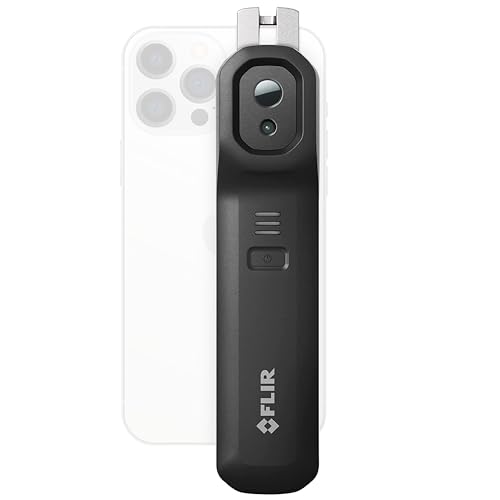 | Best Wireless Pro | Max Upscaled Resolution: 480×360 | Native Resolution: 160×120 | Connection Type: Bluetooth (wireless) | VIEW LATEST PRICE | Read Our Analysis |
| Flir One Pro Thermal Camera for iPhone |  | Professional Grade | Max Upscaled Resolution: 480×360 | Native Resolution: 160×120 | Connection Type: Lightning (direct) | VIEW LATEST PRICE | Read Our Analysis |
More Details on Our Top Picks
Flir One Thermal Camera for iPhone USB-C
If you’re on an iPhone 15 or newer, the Flir One Thermal Camera for iPhone USB-C is your go to for portable thermal imaging. It plugs directly into your phone’s charging port, giving you a compact, durable tool rated for 1.5 meter drops. The sensor captures 80×60 resolution, then uses Super Resolution with Vivid IR tech to upscale it to 240×180 for sharper detail. And Flir MSX overlays thermal data onto your visual image in real time, making it easier to spot air leaks, moisture, or faults. You get reliable temperature accuracy within ±3°C in typical conditions. Perfect for home inspections or automotive diagnostics.
- Max Upscaled Resolution:240×180
- Native Resolution:80×60
- Connection Type:USB-C (direct)
- Drop Rating:1.5 meters
- Temperature Accuracy:±3°C or ±5%
- Scene Temperature Range:5°C to 120°C
- Additional Feature:For iPhone 15/newer
- Additional Feature:Gray-colored design
- Additional Feature:Model 435-0010-03
Flir One Thermal Imaging Camera for iPhones
You need a thermal camera that works with iPhone 14. The Flir One plugs straight into your Lightning port, a compact black and silver tool built for jobsite abuse, surviving drops from 1.5 meters without flinching. Its native 80×60 sensor upscales to 240×180 via Super Resolution, while MSX technology fuses visual and thermal layers for sharper real-time detail. Within the app, you’ll find step-by-step inspections for air leaks or moisture buildup. Temperature readings land within ±3°C or ±5% accuracy in typical environments. Perfect for home checks, automotive work, or machinery maintenance. Just clip, scan, and diagnose.
- Max Upscaled Resolution:240×180
- Native Resolution:80×60
- Connection Type:Lightning (direct)
- Drop Rating:1.5 meters
- Temperature Accuracy:±3°C or ±5%
- Scene Temperature Range:5°C to 120°C
- Additional Feature:For iPhone 14/older
- Additional Feature:Black and silver finish
- Additional Feature:Lightning port connection
Flir Edge Wireless Bluetooth Thermal Camera
Why settle for a camera that ties you down? The Flir Edge lets you roam free with wireless Bluetooth connectivity, pairing seamlessly with any Android or iOS device. You get super resolution upscaling that boosts the native 80×60 IR image to 240×180, using Vivid IR technology for sharper detail. Plus, Flir MSX merges thermal and visual images in real time, so you spot issues instantly. Temperature readings land within ±3°C or ±5% in the 15°C–35°C range, covering a scene range of 5°C–120°C. And it’s tough: rated to survive a 2 meter drop. Use Flir IGNITE CLOUD to upload and share images via Wi-Fi, no wires needed.
- Max Upscaled Resolution:240×180
- Native Resolution:80×60
- Connection Type:Bluetooth (wireless)
- Drop Rating:2 meters
- Temperature Accuracy:±3°C or ±5%
- Scene Temperature Range:5°C to 120°C
- Additional Feature:Bluetooth wireless pairing
- Additional Feature:2-meter drop resistance
- Additional Feature:IGNITE cloud upload
Flir One Pro Thermal Camera for iPhone
The Flir One Pro is the professional grade choice for serious inspectors. You’ll plug it directly into your iPhone 15 or newer’s USB-C port, and it’s built to survive a 1.5 meter drop on the jobsite. Its Super Resolution technology ups the native 160×120 thermal image to 480×360, giving you far more detail. Plus, MSX technology merges visual and thermal images in real time.
You’ll use the included Flir One app for step by step guides on finding air leaks, moisture, or machinery faults. Accuracy sits at ±3°C or ±5% within the right temperature range. It’s a rugged, precise tool, not a toy.
- Max Upscaled Resolution:480×360
- Native Resolution:160×120
- Connection Type:USB-C (direct)
- Drop Rating:1.5 meters
- Temperature Accuracy:±3°C or ±5%
- Scene Temperature Range:5°C to 120°C
- Additional Feature:For iPhone 15/newer
- Additional Feature:Professional-grade model
- Additional Feature:Pro-level construction
Flir Edge Pro Wireless Thermal Imaging Camera iOS/Android 480×360
For pros who need remote thermal views without being tethered to their phone, the Flir Edge Pro is your ideal wireless companion. It connects via Bluetooth to any iOS or Android device, letting you peek around corners or into tight spaces with ease. The raw resolution sits at 160×120, but Super Resolution with Vivid IR upscales to 480×360 for far sharper detail. And Flir MSX merges thermal and visual images in real time, so you see exactly what you’re measuring. Temperature accuracy stays within ±3°C or ±5% when you’re working in normal conditions. Plus, you can upload straight to Flir IGNITE Cloud for instant sharing.
- Max Upscaled Resolution:480×360
- Native Resolution:160×120
- Connection Type:Bluetooth (wireless)
- Drop Rating:Not specified
- Temperature Accuracy:±3°C or ±5%
- Scene Temperature Range:5°C to 120°C
- Additional Feature:Bluetooth wireless pairing
- Additional Feature:Model 11002-0201
- Additional Feature:IGNITE cloud upload
Flir One Pro Thermal Camera for iPhone
If you’re a working pro, this is the one you’ll grab first. The Flir One Pro plugs directly into your iPhone’s Lightning port, no charging needed. It’s built for real jobsites, shrugging off drops from 1.5 meters. You get Super Resolution that upsamples its 160×120 sensor to 480×360, plus FLIR MSX tech merges thermal and visual images for crisp detail. Temperature accuracy hits ±3°C within 15°C to 35°C ambient, so you trust those readings. Use the app’s step-by-step guides to find air leaks or moisture. For home, auto, or industrial inspections, this is your daily driver.
- Max Upscaled Resolution:480×360
- Native Resolution:160×120
- Connection Type:Lightning (direct)
- Drop Rating:1.5 meters
- Temperature Accuracy:±3°C or ±5%
- Scene Temperature Range:5°C to 120°C
- Additional Feature:For iPhone 14/older
- Additional Feature:Lightning port connection
- Additional Feature:Pro-level thermal imaging
Factors to Consider When Choosing a Flir Thermal Camera for iPhone
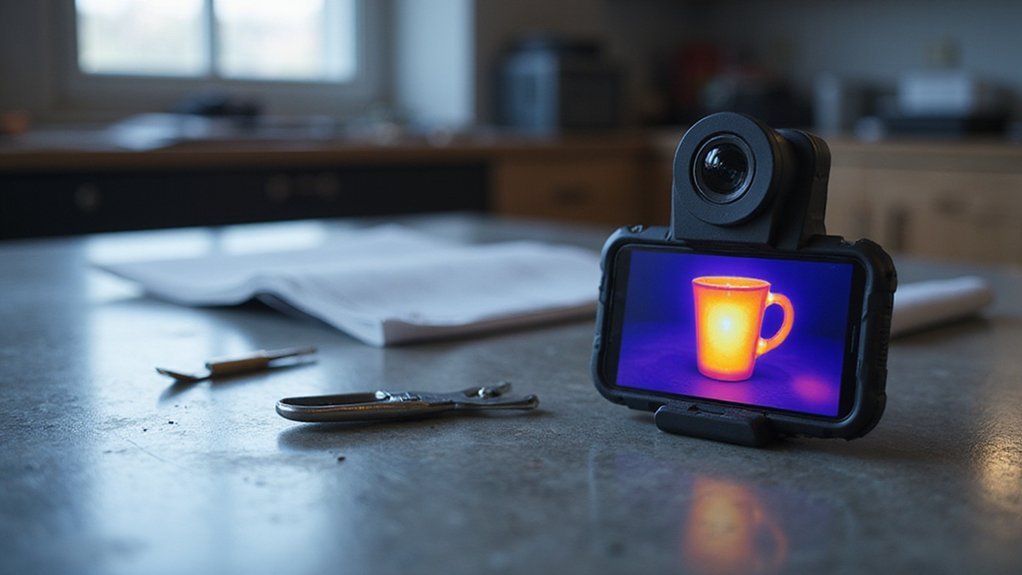
Before you pick a FLIR thermal camera for your iPhone, you need to nail down a few key specs. Start with compatibility, because not every model works with your specific iPhone, and then check the image resolution and measurement accuracy, as those directly affect how useful the camera is for you. Also, don’t overlook the build quality and wireless connectivity, since a rugged, well-connected unit will last longer and let you share data on the fly.
Compatibility Requirements
Since you’re pairing a thermal camera with your iPhone, compatibility is the first thing you need to lock down. Match the camera’s physical connector to your iPhone’s port. Got a Lightning port (iPhone 14 or older)? Grab a Lightning model. Upgraded to an iPhone 15 with USB-C? You’ll need a USB-C camera.
But don’t stop there. Check your iPhone’s specific model requirements and its operating system version. Some cameras only work with the newest iOS updates, so verify that before you buy. If your device doesn’t support a direct connection, look for a wireless option instead. It’ll let you pair with multiple iPhones easily.
Here’s a quick checklist:
- Confirm port type: Lightning or USB-C.
- Check iPhone model compatibility.
- Verify iOS version support.
- Consider wireless connectivity for flexibility.
Get this right, and you’ll avoid a frustrating return.
Image Resolution Quality
What makes a thermal image truly useful? It’s the resolution, plain and simple. Higher resolution gives you detailed thermal pictures, so you spot small or subtle issues without squinting. You’ll want a camera that uses Super Resolution technology, upscaling native resolutions like 80×60 or 160×120 to 480×360 for crisp clarity. Don’t overlook MSX technology either, it merges thermal and visual images, boosting real-time detail so anomalies jump right out.
Higher resolution also sharpens your ability to pinpoint thermal faults exactly. That means less guesswork. For best results, choose a model with higher native resolution, like 240×180, for more all-encompassing analysis across different inspections.
Here’s a quick checklist:
- Native resolution of at least 160×120
- Super Resolution upscaling to 480×360
- MSX image fusion for enhanced detail
Your inspections will thank you!
Measurement Accuracy Limits
While thermal cameras can see in the dark, they’re not infallible when it comes to numbers, so let’s talk about what happens when you actually need a precise temperature, not just a pretty picture. Most FLIR models offer an accuracy of ±3°C or ±5%, which is solid for everyday checks but not lab-grade. You’ll get reliable readings within the 5°C to 120°C scene range, but push beyond that, and the numbers start to drift. For best results, keep the ambient scene between 15°C and 35°C, because dust, moisture, or direct sunlight can throw off your measurements. Always check your calibration before critical work, and remember: the environment is your biggest variable. A quick wipe of the lens and shaded positioning can save you from chasing phantom temperature spikes.
Durability and Build
If you’re regularly on a jobsite, you’ll quickly learn that a thermal camera is only as good as its ability to survive a drop. So, look for a Flir model rated to withstand falls from at least 1.5 meters. That means reinforced construction and impact-resistant materials are non-negotiable; they’ll protect your investment from accidental bumps and rough handling. Weatherproofing is also vital, especially if you’re working outdoors or in challenging environments. A rugged build directly extends your camera’s lifespan, saving you from costly repairs or replacements. But don’t stop there. Check for compatibility with protective cases. These add another layer of defense against dust, moisture, and shocks. Remember: a tough camera isn’t a luxury, it’s a necessity for pros who depend on their gear every single day.
Wireless Connectivity Options
Your camera’s toughness matters, but how you share what it sees is just as important. For pros, wireless connectivity options like Bluetooth and Wi-Fi allow seamless real-time image transmission straight to your iPhone. Bluetooth’s handy for quick grabs within about 10 meters, perfect when you’re squeezed into tight spaces without direct line-of-sight. Wi-Fi, though, gives you a broader range and faster data transfer. That means you can upload to the cloud or monitor remotely, collaborating from different rooms or job sites without missing a beat. Just watch for connection stability; interruptions in dynamic environments kill your workflow. And since you don’t need to hold the camera right at eye level, you can capture those awkward corners or around machinery effortlessly. Choose Wi-Fi if you need reach, or Bluetooth for quick, close shots.
Application Versatility
Since you’re likely using a thermal camera for more than one type of job, application versatility is what separates a good tool from a great one. You’ll want a model that handles home, automotive, and industrial diagnostics without skipping a beat. Look for features like real-time MSX image merging and Super Resolution: they give you crisp, detailed visuals across all those tasks.
Check compatibility with your iPhone’s port (USB-C or Lightning), so you can swap devices on the fly. A broad temperature range, say 5°C to 120°C, with accuracy of ±3°C or ±5%, keeps you reliable for any scenario. And don’t overlook wireless connectivity like Bluetooth or Wi-Fi with cloud integration, letting you work in tight spots or awkward angles. This isn’t just a one-trick pony; it’s your all-in-one thermal eye.