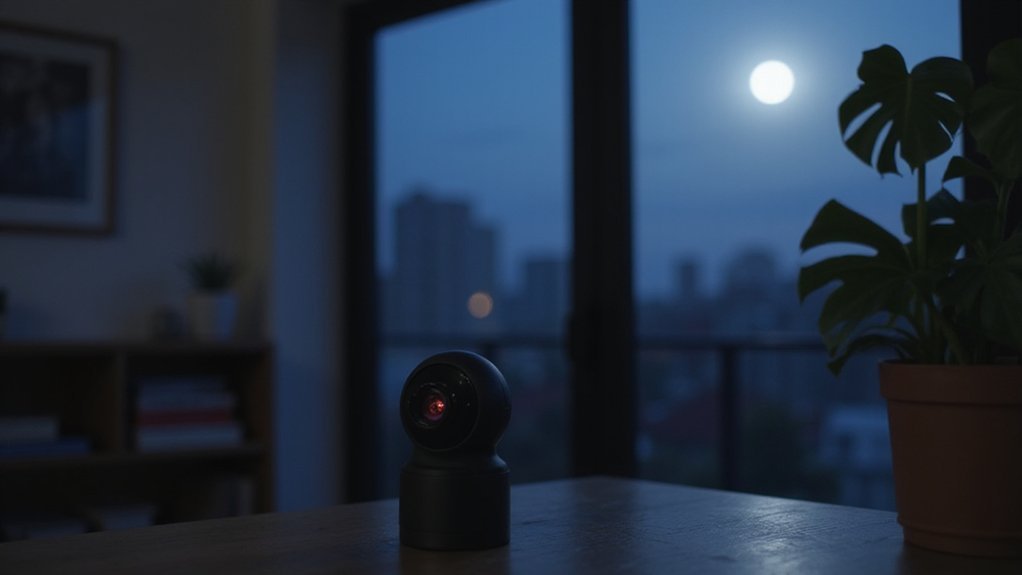
What Are Orbs in Night Vision Camera Footage?
Ever wondered why night vision footage sometimes shows glowing orbs that seem out of place? These orbs are usually caused by tiny particles like dust or moisture drifting close to your camera lens and reflecting infrared light.
Insects, rain droplets, or spider webs can create similar glowing effects in low-light conditions. Keep reading to learn how to identify and eliminate these optical artifacts.
Why Orbs Show Up in Night Vision Footage (and It’s Not Ghosts)
Your night vision footage often shows orbs due to reflections caused by your camera’s IR LEDs, especially when these lights sit close to the lens. These reflections occur because the infrared light bounces off any internal components inside the camera, creating bright spots that appear as orbs. External light sources like streetlights, headlights, or flashlights can produce similar glare or flare that mimics orbs as well. To reduce these effects, try changing your camera angle—moving the camera or adjusting its position can minimize direct reflections and lessen the appearance of orbs. The cantilever design, which offsets the IR LED housing away from the lens, is one solution that manufacturers use to reduce this optical interference. Some equipment restrictions stem from the fact that red night vision goggles were banned to prevent their specialized IR filtering technology from causing similar optical artifacts in military and aviation contexts. What you’re seeing is simply a result of basic physics and light behavior, not evidence of anything supernatural. Choosing between these tools depends on whether you need to identify objects in total darkness or detect heat signatures through obstructions, as each technology excels in different environmental conditions.
Dust, Pollen, and Moisture: The Most Common Causes of Night Vision Orbs
Dust, pollen, and moisture are the main causes of orb-like artifacts in night vision footage. When infrared light hits these tiny particles near the lens, they become illuminated and create bright circles. Your camera’s lens coating doesn’t prevent these out-of-focus objects from producing these effects. Dust particles float erratically, pollen spikes seasonally near open windows, and moisture droplets from fog or rain form soft, sometimes haloed orbs. These particles strongly reflect infrared light, causing them to glow. You’ll notice multiple orbs drifting with fuzzy edges and weak texture—clear indicators of environmental particles rather than paranormal entities. For hunters using similar optics, red or green hunting lights can also reflect off airborne particles in the same way. Thermal drone builds often incorporate active IR illuminators, which intensify this backscatter effect near the camera. For a more permanent setup, you’ll find that outdoor security systems with built-in IR tend to generate the same particle glare under humid or dusty conditions.

720nm Precision Cutoff IR Filter Supports Unmodified Original Cameras No Camera Modification Required. Our infrared filter efficiently blocks light below 720nm while maintaining high transmittance of infrared light above 720nm. You only need a tripod for long exposure shooting to capture surreal infrared photos with partial natural color. Perfect for shooting glowing white foliage deep black sky and high contrast water surface under sufficient sunlight.
720nm Precision Cutoff IR Filter Supports Unmodified Original Cameras No Camera Modification Required. Our infrared filter efficiently blocks light below 720nm while maintaining high transmittance of infrared light above 720nm. You only need a tripod for long exposure shooting to capture surreal infrared photos with partial natural color. Perfect for shooting glowing white foliage deep black sky and high contrast water surface under sufficient sunlight.
720nm Precision Cutoff IR Filter Supports Unmodified Original Cameras No Camera Modification Required. Our infrared filter efficiently blocks light below 720nm while maintaining high transmittance of infrared light above 720nm. You only need a tripod for long exposure shooting to capture surreal infrared photos with partial natural color. Perfect for shooting glowing white foliage deep black sky and high contrast water surface under sufficient sunlight.
How Backscatter Turns Small Particles Into Glowing Circles
Backscatter produces small, bright circles that drift across your night vision footage. It occurs when the camera’s own light source reflects off tiny particles—like dust, water droplets, or sand—close to the lens. Because these particles sit too near to be in proper focus, they blur into soft, out-of-focus discs rather than sharp points of light. Their close alignment along the lens axis causes them to reflect light straight back into the camera, making them appear much brighter than the background. Unlike thermal cameras, which detect heat and cannot see through solid barriers, these orbs are purely optical artifacts. These orbs stay round because the reflection is symmetrical and not spread across the frame like lens flare. Sensor noise can sometimes add color fringes or faint internal rings to the circles. They tend to move randomly in response to air currents and often appear in clusters. It’s a straightforward physical phenomenon, not ghostly or supernatural—just basic optics at work. When comparing trail cameras like Stealth Cam versus Muddy, understanding such optical artifacts can help you evaluate low-light performance and image clarity. Setting up your camera properly, including adjusting the detection zone to avoid triggering on nearby debris, can minimize these artifacts in the first place.

Day/Night Camera - IR Cut filter switched in and out automatically. A NoIR camera that keeps videos and images from washed out or looking pink yet still offers a decent night vision

UV protection filter for general, everyday use

Material: PMMA acrylic film. A flexible, cut-to-size black sheet that transmits near-infrared light while reducing visible glare for cleaner night images.
How Insects and Spider Webs Fool Night Vision Cameras
Insects and spider webs appear as glowing orbs or shifting shapes in night vision footage because of infrared reflections. Your camera’s IR LEDs emit infrared light that bounces off small objects very close to the lens. When a moth, gnat, or other tiny insect comes within a few millimeters of the camera, the IR light reflects directly back into the sensor, causing the insect to appear as a bright, oversized orb or streak. Similarly, spider webs situated near the camera are often invisible in daylight but show up under night vision because the fine silk strands reflect IR light. Dust, moisture, or debris on the web can amplify this effect, creating glowing circles or floating shapes that seem to drift. These visual distortions are simply caused by insects and silk webs redirecting IR illumination back into the camera sensor, fooling your night vision system. Unlike some trail cameras that offer an instant mode to reduce false triggers, the Spypoint Flex-M lacks this feature, meaning it may capture more orb-like artifacts from passing insects. For those looking to review footage more clearly, choosing a high-quality SD card reader can help transfer images faster and reduce confusion caused by these false orb detections. Understanding the difference between false positives and actual thermal signatures is critical, and selecting a camera with thermal imaging accuracy can help filter out such artifacts.

【Versatile & Universal Fit】 Transform any standard rifle scope with an eyepiece diameter of 38-44mm into a powerful night vision system. This DIY kit comes with everything you need to get started.

Built-in Compass for Easy Navigation – Our 4K digital night vision binoculars feature a built-in compass, ensuring you stay on track in the wild. Whether for tactical use, infrared (IR) night hunting, or outdoor adventures, these nocturna nightvision goggles provide reliable navigation in complete darkness.

NIGHT VISION GOGGLES FOR ADULTS 4K – Experience clear digital night vision with a 4K imaging system and large 4.5" HD screen. Designed for nighttime observation, outdoor exploration, camping, hunting, and wildlife viewing.
Why Rain, Snow, and Wind Create More Orb-Like Artifacts
Weather conditions like rain, snow, and wind increase orb-like artifacts in your camera’s footage by filling the air with tiny particles near your lens. Raindrops and snowflakes scatter your infrared (IR) light back toward the camera, creating bright, circular spots that appear as glowing orbs. Wind stirs up dust and mist, resulting in a flurry of floating specks that reflect light and produce similar artifacts. These particles cause strong optical reflections, especially with close-range illumination, and also raise sensor noise levels as your camera struggles to process the scattered light. Using night vision mode amplifies these effects, making every droplet or flake look like a luminous orb. However, these artifacts are purely physical reflections from particles, not signs of paranormal activity. If you were to use night vision binoculars in daylight, the intense ambient light would similarly cause overwhelming reflections and sensor overload, not ghostly images. Learning how to adjust focus can help reduce these false readings. For military users, high-quality optics in dedicated night vision goggles minimize such artifacts compared to standard consumer cameras.
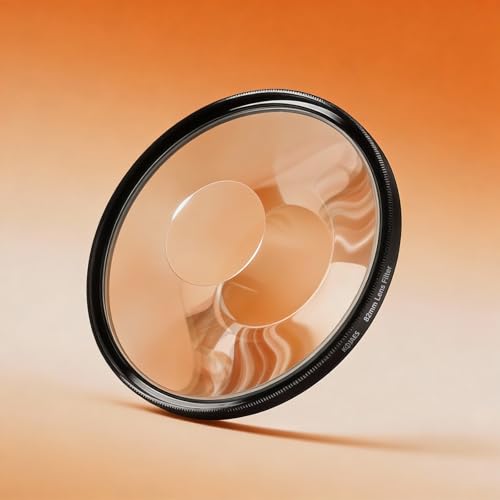
Create Dreamy Swirls and Bokeh: Simply rotate this special effects filter in real-time to generate mesmerizing swirls and creative bokeh at the image edges. This transforms cluttered backgrounds into artistic blur while emphasizing your subject's focal point.

Enhance Your Photography: Whether you're shooting landscapes, portraits, or abstracts, the Spiral Halo Filter adds a captivating twist to your compositions. Enhance the mood and atmosphere of your photos with its ethereal glow.

📸[Advantages] This new lens filter is a great photographic prop. Whether it is a photo or a video, this filter will add a unique linear halo effect to your image. In addition, you can rotate the filter 360 degrees to achieve the desired effect.
How to Spot the Difference Between an Orb and a Real Light Source
To distinguish a glowing orb from a real light source in your night vision footage, look for stability and physical anchoring. A genuine light source, like a lamp, headlight, or window, remains fixed to its fixture and casts consistent illumination onto nearby surfaces. It tends to move only if the object carrying it moves, maintaining its orientation.
In contrast, orbs often appear as fuzzy, translucent blobs that drift, jitter, or change size unpredictably. They lack a fixed fixture or beam and do not cast consistent spills of light. Their movement is erratic, often darting in unpredictable directions as particles cross your IR field, blinking in and out of focus. For example, common reflective particles like dust, bugs, or spider silk frequently cause these drifting orb-like artifacts in night vision footage.
Optical distortion or poor camera calibration can sometimes mimic the appearance of a light source, making genuine lights look circular or fuzzy. To test whether a suspected source is real, switch the IR mode off if possible. If the light disappears, it is likely a reflection artifact or optical illusion. Genuine light sources persist regardless of the camera’s IR setting, making this a simple and effective test.
How Streetlights and Floodlights Fake Paranormal Activity (via Glare, Not Backscatter)
When a streetlight or floodlight shines directly into your night vision camera, it can create a convincing orb without any paranormal activity—it’s just glare. Your camera’s optics amplify the stray light, scattering it into hazy circles through lens distortion and optical reflections. This isn’t a ghost; it’s a flare artifact caused by bright light entering the lens. Unlike backscatter, which results from nearby particles reflecting light back into the camera, this artifact originates from a distant, intense light source overwhelming your lens. These natural optical effects are commonly mistaken for supernatural phenomena, as dust particles or moisture can also produce similar glowing artifacts under the right conditions. Because night vision systems like goggles often use green phosphor to maximize human visual sensitivity, the green tint of the artifact itself is a practical design choice rather than a spectral sign. Since top-rated night vision goggles are designed to prioritize image clarity and performance in low light, they can sometimes make these lens flare artifacts appear even sharper. Understanding this effect is similar to how thermal camera colors interpret heat levels rather than supernatural presence.
As your camera pans, the bright patch appears to drift because the angle between the lamp and your lens changes. This motion isn’t an entity moving but a framing shift caused by camera movement. The effect becomes more pronounced when you face the light source directly, causing a smooth, bright orb to appear even in clear air. The underlying factors are the angle, position, and geometry of the light source relative to your camera.
Why Infrared Light and Motion Blur Make Orbs Look Ghostly
Infrared light makes these ghostly orbs visible because it’s invisible to your eyes but detectable by your camera. Infrared reflection bounces off tiny particles such as dust, pollen, or moisture droplets that are often unseen. This causes these specks to appear bright and self-luminous in your footage. When your camera focuses, it blurs these particles into soft, glowing circles, even if they are irregular in shape. Motion blur adds to the ghostly effect: with a slow shutter speed or frame rate, fast-moving particles or insects smear into streaks or halos. The combination of infrared reflection, focus distortion, and motion blur creates the illusion of floating, ghost-like orbs—yet it’s simply an optical illusion caused by particles interacting with infrared light rather than any paranormal activity. A DIY trail camera security box can help reduce these reflections by shielding the lens from environmental debris.
Seven Quick Fixes to Reduce Orbs in Your Night Vision Footage
To reduce orb artifacts in your night vision footage, start with maintaining your camera lens. Dust, moisture, or smudges near the lens create persistent reflections that appear as orbs in your recordings. Regularly wipe the lens with a microfiber cloth and a lens-safe cleaner to remove stationary specks. Ensuring a clean lens helps eliminate many of these artifacts right at the source.
Next, clear the area around your camera. Remove spider webs, trim nearby foliage, and eliminate insect attractants that can introduce near-lens particles. Adjusting the camera angle to avoid bright surfaces like reflective walls or shiny objects reduces infrared reflections bouncing back into the lens. Shield the camera from bright streetlights or headlights or reposition it to minimize direct light exposure. Improving hardware setup prevents external light interference that often contributes to orb formation.
Finally, tweak your night vision settings. Resetting the camera’s calibration can fix misconfigurations that cause unwanted artifacts. If orbs persist despite cleaning and repositioning, inspect your camera hardware for faults or damage, as faulty components can also generate ghostly reflections.

Premium Lint-Free Microfiber Material: Made with ultra-fine, high-quality microfiber that leaves zero lint or scratches, ensuring a crystal-clear clean for delicate glasses lenses, camera lenses, VR/AR headsets, and all types of screens

Clear Performance - Microfiber cleaning cloth, meticulously crafted from proprietary, dense, absorbent Materials. Extremely high-quality and soft,absorbs and removes dust,oil,smudges,fingerprints,and dirt. Leaving your lenses spotless every time.

Glasses cleaner - Sourced from the highest quality microfiber that absorbs and removes dust, oil, smudges, fingerprints, dirt, and more. Leaves no scratches, streaks, marks, or lint behind. The perfect eyeglass cleaner for reading glasses, women, men, adults, him, her, teens, and more.
Why Security Experts Say Orbs Are Almost Never Paranormal
Orbs are almost never paranormal; they are simply optical artifacts produced by your camera’s infrared illumination. When you see a glowing circle in night vision footage, it’s usually caused by tiny particles like dust, moisture, pollen, or insects reflecting the infrared light from the camera. Because these particles are very close to the lens, their reflections become out-of-focus, creating the characteristic orb shape. This is especially common in dark environments where the camera relies solely on infrared LEDs for illumination.
Historical reports of luminous spheres often fueled ghost stories, but modern technology demonstrates their mundane origin. When you see an orb, it’s not a spirit or ghostly apparition but rather backscatter from an IR LED. Security camera experts consider these artifacts typical optical interference rather than paranormal phenomena. To reduce or eliminate orbs in your footage, simply clean your camera lens and check for dust or moisture near the lens or light source.