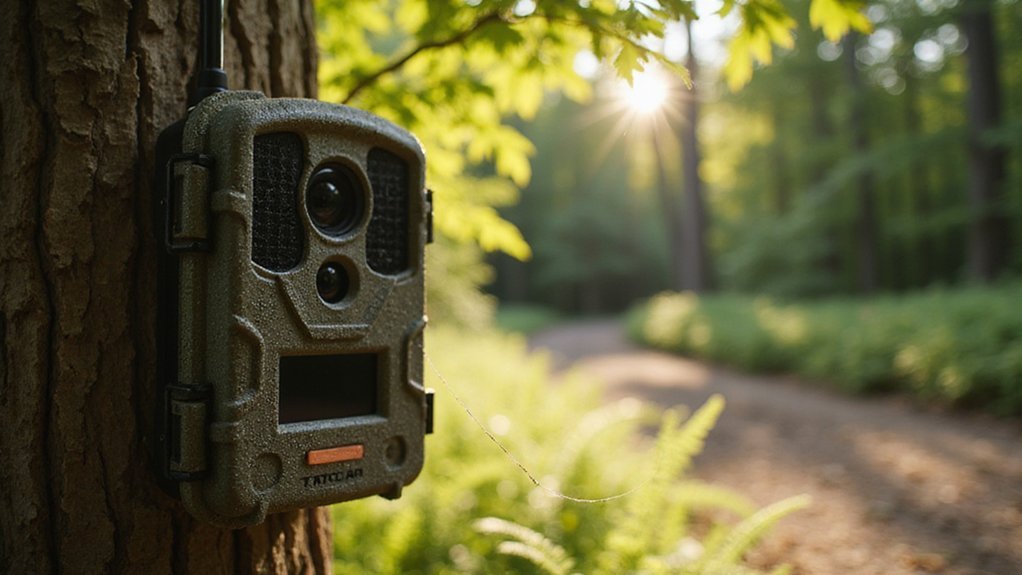
What Is Work Mode on the Tactacam Reveal X Pro?
If you’re wondering how to get your Tactacam Reveal X Pro into its active, field-ready state, you’re not alone.
Work Mode is what keeps the camera awake and ready to detect movement, capture images, and send footage to your app.
It’s different from Setup Mode, where you make adjustments.
Keep reading to learn how to activate Work Mode and troubleshoot if it won’t start.
So What Exactly Is Work Mode?
Once you turn on your Tactacam Reveal X Pro and complete the setup, Work Mode automatically activates after a 30-second idle countdown or can be triggered manually. This mode switches the camera into its standard operational state, meaning it starts actively capturing images based on motion detection and sending them to your app once a cellular signal is available. When Work Mode is active, the screen goes black, indicating that the camera is ready but not displaying live footage—that’s normal. Proper camera placement is crucial; aim it at your target focal point before entering Work Mode to avoid unnecessary captures. This mode also helps conserve battery life by switching the camera to a low-power standby state instead of running menus continuously. Once in Work Mode, the camera stays active in the field, monitoring automatically and transmitting images as needed. The LCD screen also displays a red horizontal line as optimal placement guidance to ensure the camera is positioned at the correct height before you finalize its location. For low-light conditions, choosing between night vision or thermal depends on whether you need to identify animals in complete darkness or detect heat signatures through foliage. If you are building a DIY setup, you can reference a thermal drone guide for tips on integrating heat-sensing components into your camera system.
How to Enter Work Mode Using the Left Arrow
Pressing the Left arrow is the quickest way to manually enter Work Mode. From the main screen, simply tap the Left arrow key, and then confirm your choice by pressing the Enter button. This method bypasses the automatic idle countdown, giving you full control over when your camera begins operating. Once confirmed, the screen will turn black, which is normal and indicates the camera is now actively sending photos. Be aware that this can affect battery life if used frequently without caution. It’s best to ensure your camera has the latest software updates installed before accessing Work Mode, as this optimizes performance and minimizes glitches. This process is especially recommended after positioning the camera and cleaning the seal to guarantee proper setup. When ready, close up the camera and deploy it—quick and straightforward, with no unnecessary steps. Unlike military night vision devices, Work Mode here is not a low-light enhancement feature but a communication state that prioritizes image transmission over display. For low-light situations, the Xfinity Camera offers a separate feature that uses infrared LEDs to enable night vision when ambient light is insufficient.

AUTO-CONNECT MULTI-CARRIER LTE — AT&T AND VERIZON — An integrated SIM automatically locks onto whichever carrier has the stronger signal at your exact location. No SIM swapping. No carrier lock-in. No dead zones from a single-network camera. Just signal

AUTO-CONNECT MULTI-CARRIER LTE — AT&T AND VERIZON — An integrated SIM automatically locks onto whichever carrier has the stronger signal at your exact location. No SIM swapping. No carrier lock-in. No dead zones from a single-network camera. Just signal

SETUP IN MINUTES — Pre-installed antenna and pre-activated SIM card get your Reveal Pro 3.0 sending photos within minutes, no technical experience required.
The 30-Second Countdown: When Work Mode Starts Automatically
If your camera remains idle on the main screen, it will automatically start a 30-second countdown before entering Work Mode. You can stop this process at any time by pressing any button, which keeps the camera in its current setup state. During the countdown, it’s a good idea to check your battery status—quickly confirming a sufficient charge prevents starting the day with low power. Additionally, ensure any firmware updates are completed beforehand, as the camera will not apply them during this brief window. For optimal nighttime performance, a camera with color night vision can capture vivid details even in low light. Once the 30 seconds expire, Work Mode activates automatically, making the camera fully operational and ready to send photos. Keep in mind, this automatic process is an aid for quick setup but does not replace the manual method for entering Work Mode when you prefer to control the process yourself. In Work Mode, the camera remains idle until motion is detected, leveraging motion sensitivity triggers for humans and animals. For reliable data transfer, consider pairing your camera with a top SD card reader to quickly review captured images. You can also build a trail camera security box to protect the unit from theft or weather damage while in the field.

New version trail cam: Clear Day & Night Imaging Capture sharp 64MP photos (adjustable: 5/16/36/48/56/64MP) and smooth 4K HD videos (3840x2160P /2560x1440P). The high-quality optical lens ensures crisp daytime images and night vision performance, making it ideal for wildlife observation, deer scouting, and property surveillance.
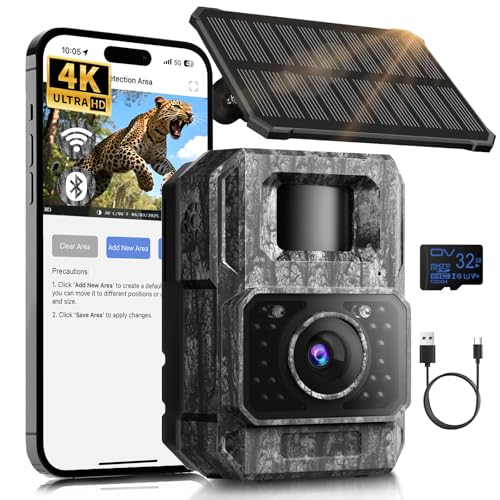
𝐍𝐎𝐓𝐄: 𝐢𝐭 𝐢𝐬 𝐍𝐎𝐓 𝐜𝐨𝐦𝐩𝐚𝐭𝐢𝐛𝐥𝐞 𝐰𝐢𝐭𝐡 𝐡𝐨𝐦𝐞 𝐖𝐢𝐅𝐢, 𝐝𝐨𝐞𝐬 𝐍𝐎𝐓 𝐬𝐮𝐩𝐩𝐨𝐫𝐭 𝐜𝐞𝐥𝐥𝐮𝐥𝐚𝐫/𝟒𝐆/𝟓𝐆 𝐧𝐞𝐭𝐰𝐨𝐫𝐤𝐬, and 𝐝𝐨𝐞𝐬 𝐍𝐎𝐓 capable of real-time motion alerts or push notifications. The camera creates its own short-range Wi-Fi hotspot (𝐍𝐨𝐧-𝐂𝐞𝐥𝐥𝐮𝐥𝐚𝐫) for setup, and downloading files only. Wi-Fi range is up to 33–50 ft in open areas. The camera records automatically even when your phone is not connected. No subscription or monthly fees

[SIMPLE & RELIABLE TRAIL CAMERA FOR BEGINNERS] Designed for first-time users, this entry-level trail camera focuses on easy operation and dependable performance. The classic solid brown housing blends naturally into outdoor environments, making it ideal for wildlife monitoring and backyard use. With clear, straightforward controls, anyone can start using it in minutes—no technical experience required. A perfect choice for hunters, landowners, and beginners looking for a no-frills, easy-to-use trail camera.(8×AA batteries and SD card not included.)
What a Black Screen Really Means After Work Mode
Once your camera completes its 30-second countdown or you manually confirm work mode, the black screen is the expected result—not a problem. This blackout indicates that your Tactacam has exited setup mode and is now in its active field state. This is similar to how disabling night vision on a Ring camera results in a specific visual change rather than a malfunction. The camera is ready to capture and transmit images once motion triggers it. The dark display serves two main purposes: conserving battery life and protecting the LCD from unnecessary wear. Keeping the screen off helps extend your camera’s battery life and prevents premature display degradation. For optimal performance, you should ensure the lens is clean before deployment, as recommended in the FLIR thermal camera guide.
This black screen does not mean the camera is shut down or has encountered an error. If you have correctly confirmed work mode, the black screen is simply the camera’s normal operating appearance. You can close the unit and deploy it in the field—your app will manage the connection and any image transfers or settings adjustments. Rest assured, the camera remains fully functional even when the screen is blank. For example, just as you would activate the camera switch and insert an SD card to finalize a Spypoint Flex M setup, a blank display confirms your Tactacam is ready for field deployment.
Work Mode vs. Setup Mode: What’s the Difference?
Setup mode is used to aim the camera and adjust settings on the LCD screen, focusing solely on configuration. Work mode is the camera’s normal operating state for capturing and transmitting photos. When in work mode, the screen goes black, which is normal and indicates the camera is actively functioning. Unlike a dedicated thermal camera app that relies on smartphone sensors, the X-Pro uses its own built-in imaging hardware to detect motion and capture images. Leaving the camera in setup mode in the field is problematic because it disables motion detection and photo transmission. It also unnecessarily drains the battery and can reduce the camera’s lifespan by keeping circuits active without purpose. The Tactacam Reveal 3.0 vs. Pro comparison highlights key differences in performance and cost. For users comparing models, the Reveal X Pro often outperforms earlier versions in both imaging speed and cellular reliability. The X-Pro features an automatic timeout that switches the camera from setup mode to work mode, so always verify you are in work mode before leaving your position.

COMPLETE X 4.0 BUNDLE, READY OUT OF THE BOX — Includes the REVEAL X 4.0 cellular trail camera plus a microfiber cleaning cloth. 8GB of built-in storage means no SD card purchase required (optional slot for extra local backup).
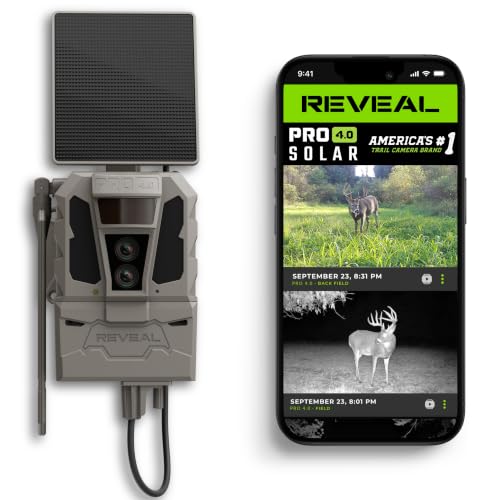
ALL-IN-ONE SOLAR POWER SYSTEM — Includes a solar panel and REVEAL FlexPack R5 5,000 mAh rechargeable battery, so your camera keeps running continuously through every season without battery runs or dead-camera surprises.
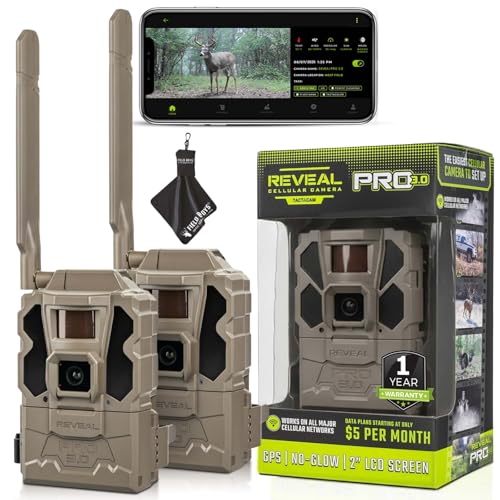
Includes Two Tactacam Reveal Pro 3.0 Trail Cameras and Field Boys Microfiber Cleaning Cloth by Field Boys, a Trademarked Brand. The Tactacam Reveal Pro 3.0 is highly adaptable. It can be paired with optional accessories such as solar panels for extended battery life, and it is designed to work on multiple cellular networks, giving you flexibility in choosing your cellular provider.
Can You Cancel the Countdown or Go Back to Setup?
You can cancel the countdown at any time by pressing any button on the Tactacam Reveal X Pro. The 30-second timer before the camera switches to Work Mode is not a trap—any physical button press during this period stops the countdown and keeps the camera in setup mode. This allows you to tweak settings, adjust lens calibration, or conserve battery without accidentally activating the camera. You’re not locked out of setup; it remains active until you explicitly confirm Work Mode.
If you want to go back before the camera automatically switches modes, just interact with it before the timer expires. Once you confirm Work Mode through the Left Arrow plus Enter sequence, the camera begins normal operation and cannot be reversed into setup mode. So, if you’re not ready to activate the camera, press any button to halt the countdown, stay in setup, and make your adjustments before fully arming the device.
What Should You Do If Work Mode Won’t Start?
If the camera doesn’t start in Work Mode after the 30-second countdown or confirming with the left arrow plus Enter, check the basics first. Power or storage issues are common culprits. Ensure your batteries are fresh; weak alkaline or NiMH-AA cells can prevent startup. Confirm the SD card isn’t full or corrupt—format it regularly or enable SD Loop mode to avoid false failures. Inspect the physical setup: tighten the antenna fully and clean the seal. Poor contact here can cause moisture problems that inhibit operation. Also, verify that your camera has the latest firmware updates, as bugs may prevent mode changes. After these checks, restart the camera. If images still do not appear, try taking a manual shot to test functionality. Keep in mind, startup and image delivery may take a few minutes. When troubleshooting, note that similar devices using red night vision face regulatory bans that could affect future firmware and hardware compatibility. To avoid wasting time on faulty gear, review the top rated night vision models before relying on alternative setups. Understanding trail camera costs helps you prioritize spending on reliable components rather than replacing failed units.

Compatible with WOSPORTS & WOSODA Trail Cameras: Specially designed for compatible WOSPORTS and WOSODA trail camera models, including G300, G300 Plus, G300W, G600, H13T, H29, and H47. Please confirm your camera model before ordering.

【Full Compatibility -Edge Series Cameras】Seamlessly compatible with all moultrie edge cellular trail camera (Edge/Edge Pro/Edge 2/Edge 2 Pro) . Precisely fits original battery slots, Trusted by hunters and wildlife researchers.
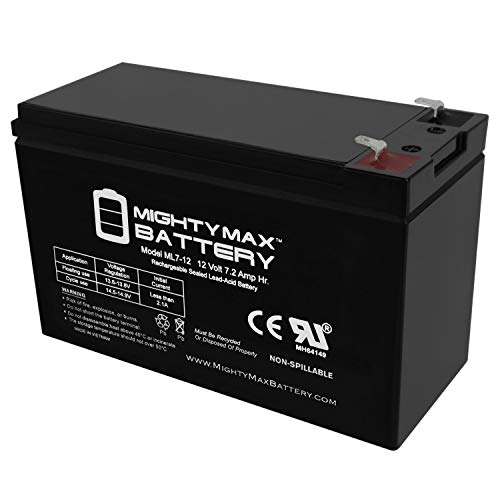
Ml7-12 Sla Is A 12V 7 2Ah Sealed Lead Acid (Sla) Rechargeable Maintenance Free Battery
What Happens Inside the Camera Once Work Mode Begins
Once work mode begins, the Tactacam Reveal X Pro’s screen turns black, which is normal. The camera immediately powers up its internal systems and begins a series of boot-up processes. You will see it warm up, then establish cellular service, which can take a few moments. After that, it performs a GPS search; the full boot process typically lasts around two minutes. During this time, the camera also calibrates its sensor to optimize the motion detector positioned above the lens. This calibration ensures it accurately detects humans, animals, or raindrops without triggering false alarms. Meanwhile, the firmware updates silently in the background, maintaining the camera’s stability and reliability. Unlike a DIY night vision build, this camera uses integrated hardware rather than separate components for infrared illumination, similar to how search and rescue drones rely on integrated thermal sensors rather than add-on modules. A DIY thermal goggle project would instead require assembling separate tools and parts like a thermal camera module and a display. Once these steps are complete, the camera transmits a test photo to your app, providing you with a success or failure message on the screen. When the camera is fully active, it is ready to capture and send still images or video clips according to your preset mode settings. All of this happens autonomously, without requiring any further input from you.

DATA: Frequency Range: 698-2700 MHz; Gain: 9dBi; Direction: Omni-directional; Waterproof: IP67; V.S.W.R: <1.8 ; Impendance: 50Ω; Antenna Connector: RP-SMA Male;

Universal:This Trail Camera Power Cord is suitable for all universal batteries and Trail game cameras(4.0x1.7mm DC Plug).

【Perfect Compatibility Reveal Battery Pack & LED Power Meter】This high-performance Reveal Battery Pack is perfectly compatible with Tactacam Reveal trail cameras (X Ultra 3.0 , X Gen 3.0, 2.0, X Pro 3.0, Pro, SK, XB, X). Featuring an LED battery meter, it provides a clear visual indication of remaining power. Flashing - charging and Light on -fully charged.
Why Older REVEAL Models Needed This Fix
Older REVEAL models like the REVEAL 3.0 and earlier needed manual fixes because they lacked over-the-air update capability. These cameras relied on a special SD card workflow for firmware updates, which meant you had to carefully follow specific steps to apply a firmware update. Missing a step could cause the camera to stop responding or lose communication. Battery management was also critical; pulling the battery for a hard reset was often the only way to recover the device if it became unresponsive. Additionally, since updates weren’t automatic, checking the SD card and battery status regularly became necessary to prevent storage issues or power failures from affecting performance. Without these manual interventions, older REVEAL models struggled to stay reliable, making maintenance more involved but essential for continued operation. A user could also hold the power button for approximately 5 seconds to perform a soft reset that reboots the device without data loss.