What Do the Colors on a Thermal Camera Mean?
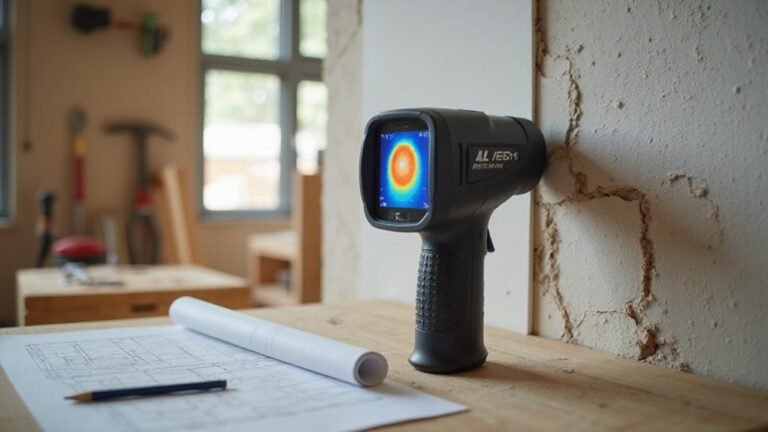
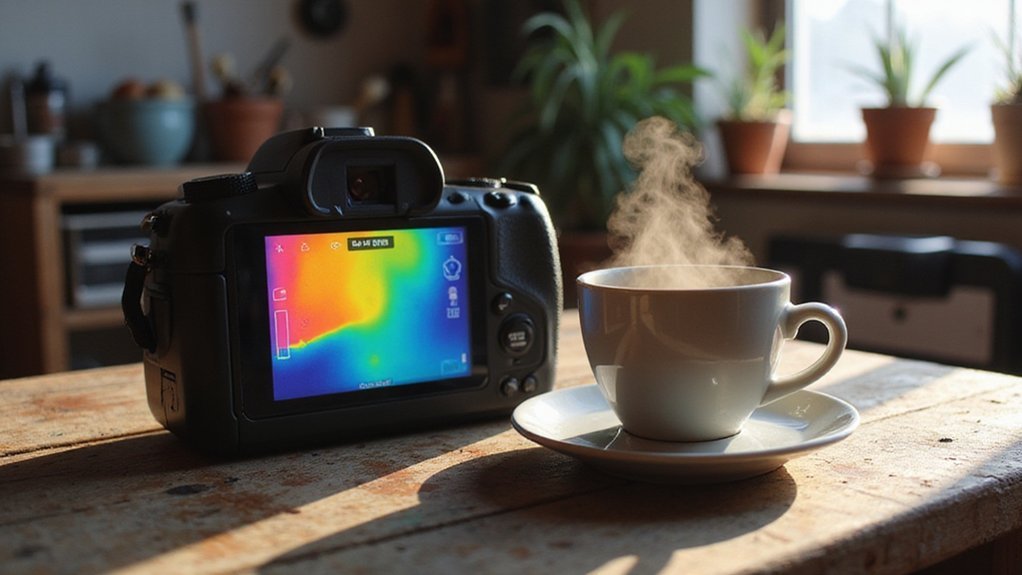
Ever wonder what the colors on a thermal camera actually mean? You’re not seeing true colors—you’re seeing heat energy mapped to a palette.
With this mapping, reds and whites indicate hotter spots and blues show cooler areas.
Your chosen color scheme heavily influences how you interpret those readings.
Keep reading to learn how to decode these colors and avoid common mistakes.
What Red, Blue, and Green Mean in Thermal Camera Colors
In thermal imaging, red, blue, and green colors each represent different temperature ranges, allowing you to interpret heat patterns quickly. Red typically indicates warmer areas and hotspots such as overloaded electrical components or friction points, signaling areas that may need immediate inspection. Blue generally shows cooler regions, which can help you identify heat loss through gaps in insulation or inactive or cooled equipment. Green often symbolizes baseline operating conditions, or mid-range temperatures, serving as a reference point between hot and cold zones. When shopping for a thermal camera, prices of night vision devices vary widely, but understanding these color scales helps you avoid costly misinterpretation.
Keep in mind that these colors are not fixed standards; the thermal palette can be customized, meaning green might be assigned differently depending on your camera settings. The color gradient’s significance shifts according to your chosen scale, so red does not always signify the absolute hottest spot—some palettes extend to yellow or white beyond red. Always check the legend or color scale on your thermal camera to accurately interpret what each color signifies. A thermal imager detects infrared radiation rather than visible light to create these temperature images.
Blue’s darkness can indicate the coldest areas in the scene, but the specific temperature value it corresponds to depends on your configuration. Mastering your camera’s mapping of colors to temperatures is essential; otherwise, you risk misinterpreting heat patterns or missing critical details. Unlike thermal cameras, night vision devices amplify visible light, which means they cannot detect temperature differences like the red, blue, and green gradients described here.
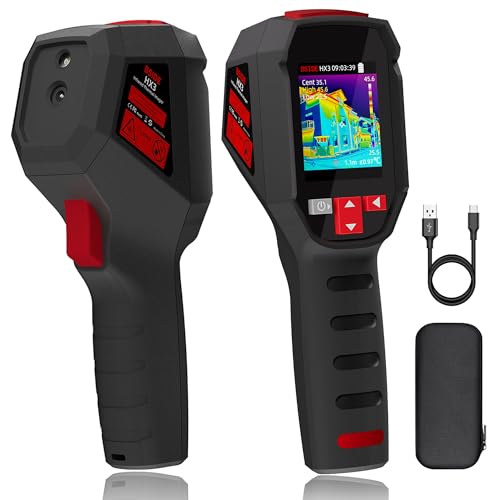
240×240 Resolution: Thermal imaging cameras feature 240×240 resolution for clearer real-time viewing and high-definition images. 50mk thermal sensitivity allows for visualization of temperature differences, helping you to detect problems early and diagnose them reliably.

【Advanced Thermal Clarity Technology– See Problems More Clearly】 Find hidden heat sources before they turn into bigger problems.The 2.8 inch 320×240 LCD provides a clear on-screen view, helping quickly locate hot spots, cold areas, heat loss, electrical issues, HVAC problems and more.The thermal imaging camera adopts TISR(Super Resolution) technology, enhancing thermal image resolution up to 240×180, while the 25Hz refresh rate delivers smooth and clear real-time thermal imaging.

【See Temperature Differences with Greater Clarity】 Enhanced to 240×240 IRS resolution with <40mK thermal sensitivity, this handheld thermal imaging camera reveals subtle heat variations for faster diagnostics of electrical systems, HVAC equipment, insulation, and mechanical components.
How White Hot, Black Hot, and Rainbow Palettes Change What You See
Choosing the right palette can significantly affect what you see in a thermal image. White Hot displays a high-contrast grayscale map, emphasizing the hottest areas as bright white. This makes hotspots instantly recognizable, ideal for quick inspections where speed matters. However, it can cause finer details in the mid-temperature range to blend in or become less distinct.
Black Hot, on the other hand, turns cooler regions black and warmer objects into lighter shades. This reduces visual clutter and makes shapes easier to interpret against darker backgrounds. Black Hot is especially useful for outdoor searches at night, where contrast against dark environments can help you spot objects more clearly.
Rainbow palettes spread small temperature differences across a spectrum of colors. This enhances thermal sensitivity, making subtle anomalies more noticeable. Conversely, the variety of colors can make the image feel busier and more complex, which might be distracting when you need to quickly identify hotspots or analyze thermal distribution. Your choice depends on whether you prioritize rapid detection or detailed thermal information.

Super Resolution Enhancement: The Flagfront YXI96 thermal camera is equipped with 240x240 super-resolution imaging technology, providing clearer images and capturing more details; A high frame refresh rate of 25Hz ensures a smooth inspection experience

[Thermal Clarity Enhancement] Designed with a 2.8-inch 320×240 LCD screen, the HT280 thermal imaging camera displays clearer, more detailed thermal images. It enhances thermal image resolution to 260×260 using TISR technology for greater detail(Opening the TisoView in the settings will get more clear images). With a thermal sensitivity of 50 mK and a frame rate of 25 Hz, it delivers accurate, smooth images, making it an essential tool for building inspections, HVAC troubleshooting, electrical inspections, and vehicle maintenance.

Superior 640x480 IR Resolution & 25Hz Refresh Rate: Equipped with Super IR tech, the GH340 boasts 640x480 Super high resolution (far better than GH192- 240x240 standard). with a 2MP visible light camera and an infrared camera, Instantly outlines target objects upon activation. [Note:Enable in settings before exporting images "File Transfer"]
How to Read the Temperature Scale Bar Like a Pro
To read the temperature scale bar like a pro, start by identifying its orientation—usually vertical on the right side of the thermal display. The top of the bar indicates the hottest temperature range, while the bottom shows the coolest. Each color on the scale corresponds to a temperature interval, not a specific degree. To accurately interpret the image, match the color hues in the scene to their respective points on the scale bar. You can improve accuracy by cross-referencing with a thermal drone that has been correctly calibrated for the environment.
Always verify the active temperature range, especially if the image appears compressed or compressed. Calibration and ambient temperature effects can cause shifts in the scale from one frame to another. Use the scale bar alongside spot temperature readings and cursors, not rely on color alone, which can be misleading. Many firefighters are unaware of temperature measurement inaccuracies in thermal imaging, so relying solely on color can be deceptive. Repeat this check every frame because the scene’s conditions and the scale’s range can change dynamically. Only with this careful approach can you confidently determine the true temperatures in your thermal images.
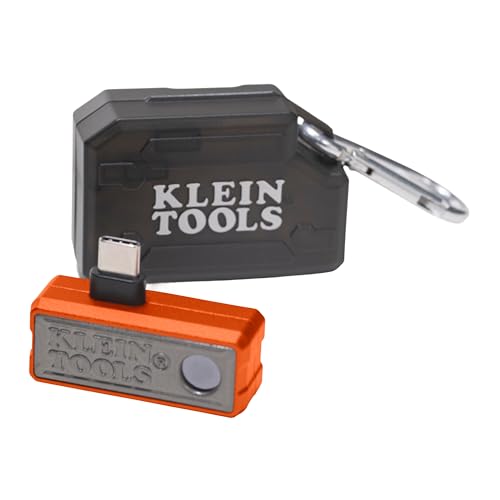
19,200-PIXEL RESOLUTION: High-quality thermal imaging camera delivers excellent resolution for troubleshooting hot and cold spots in electrical and HVAC applications

Enhanced Clarity with 240x240 TISR Resolution: Equipped with TISR technology, the H128 infrared camera elevates your thermal imaging clarity from 128x128 to 240x240 resolution. With a thermal sensitivity of 40mk, it captures the slightest temperature differences. A frame rate of 25Hz ensures smooth, stutter-free imagery, providing you with a silky-smooth experience during inspections.

[240 x 240 Resolution]: Handheld thermal imaging camera features 240 x 240 resolution, which could help you detect potential problems early and diagnose problems reliably.
Why the Same Object Can Look Different Colors
The same object can look different colors based on changes you make to the thermal display. Switching from white hot to black hot mode instantly inverts the colors of hot areas—white becomes black, and vice versa. Narrowing the temperature range causes even minor temperature differences to produce dramatic color shifts, making small temperature variations appear more pronounced. The same warm surface might look red, orange, or blue depending on the color palette you select and what’s around it. This flexibility means you cannot rely on a fixed color-to-temperature mapping. Your thermal image represents relative energy levels, not an absolute temperature scale, so the colors are more about contrast and context than specific temperatures. Understanding the cost of a thermal drone helps explain why consumer models often use simpler palettes to keep prices low. This is similar to how a trail camera uses different modes to send photos to your phone, adjusting image quality based on performance and value. For instance, a thermal camera may struggle to detect rapid temperature changes, making it unlikely to reliably spot a fart due to the quick dissipation of heat.

Image Enhancement Technology: VEVOR pro thermal imager adopts TISR enhancement technology, upgrading the original infrared resolution of 256x192 to a 4x super resolution of 512x384. With a 25Hz refresh rate, ≤40 mK thermal sensitivity, and a wide 56° x 42° field of view, combined with image sharpening algorithms and a high-performance AI chip, its 3.45-inch LCD screen captures and displays heat source details with greater clarity

Advanced Image Enhancement Technology: This thermal camera adopts advanced TISR enhancement technology, upgrading 160x120 IR resolution to 320x240 super resolution. Paired with a 2.8-inch LCD, 2MP visible light camera, 25Hz refresh rate and ≤40mK thermal sensitivity, it delivers sharp, smooth thermal details.
Advanced Image Enhancement Technology: This thermal camera adopts advanced TISR enhancement technology, upgrading 256x192 IR resolution to 320x240 super resolution. Paired with a 2.8-inch LCD, 2MP visible light camera, 25Hz refresh rate and ≤40mK thermal sensitivity, it delivers sharp, smooth thermal details.
How Color Patterns Reveal Electrical Faults, Insulation Gaps, and Hidden Heat Sources
Color patterns in thermal images can reveal electrical faults, insulation gaps, and hidden heat sources through distinct visual cues. Faulty components typically show up as sharply defined hot spots in red, orange, or white, indicating excessive heat from loose connections or overloaded circuits. These hot zones are usually small, intense, and stand out against cooler surroundings, but it’s essential to confirm them with physical measurements because thermal noise and improper color calibration can produce false positives.
Insulation gaps appear as cold streaks or patches in blue or purple, where heat escapes through missing or damaged insulation. These cooler areas often have a sharp gradient leading into warmer zones, signaling the presence of missing material within walls or pipes. Hidden heat sources, such as buried pipes or blocked vents, tend to manifest as unexpected warm clusters that stand out against the background temperature, often spreading over larger areas. Recognizing each pattern—hot spots, cold streaks, or warm spreads—provides clues to potential issues, but always consider factors like reflected heat and emissivity differences before making conclusions.

【Dual Mode Inspection】Combines conventional thermal imaging (Center/Hot/Cold spot modes) with thermometer mode for flexible temperature analysis. Use full-screen thermal imaging to monitor moving animals, machinery, automotive, or HVAC systems in real time, ensuring continuous observation with no detail loss. When you need exact numbers such as kitchen use, thermometer mode provides quick, point-and-shoot readings with a clear digital display.

【Enhanced Thermal Clarity for Precise Inspections】The RT280 handheld thermal imaging camera features a 2.8-inch 320×240 LCD screen for smooth, detailed thermal visuals. Equipped with TISR technology, it enhances thermal image effective resolution from 120×90 to 240×180, enabling the capture of tiny temperature differences. Its 50°x 38° FOV and 25Hz frame rate deliver clear, smooth images, making it ideal for home inspections, electrical checks, mechanical fault diagnosis, and automotive engine inspections.

[Enhanced Clarity with 512×384 TISR Resolution] - Start with 256×192 thermal imaging and enhance to 512×384 super resolution with TISR technology for providing clearer images and capturing more details. The wide 56° x 42° FOV, <40mk sensitivity and 25Hz high refresh rate deliver accurate and smooth thermal images, ideal for detailed inspections in homes and on electrical systems and machinery.
Why Thermal Cameras Don’t Show True Colors (And Why That Matters)
Thermal cameras do not show true colors because they detect infrared radiation, not visible light. Instead of capturing actual colors, they produce pseudo-color images that represent temperature variations. The colors you see are assigned based on specific palettes and settings, which can vary between devices and sessions. This means a red patch indicating high temperature on one image might not correspond to the same temperature in another. The colors are relative markers, designed to make heat patterns easier to interpret, but they don’t reflect the real appearance of an object. Misreading these colors can lead to inaccuracies, so always check the temperature scale and palette used. Remember, the distinctive rainbow-like patterns are artifacts of the imaging process—they are not true colors and should be interpreted carefully. For accurate field comparison, understanding live feed quality in thermal imaging devices is essential, as real-time video streams often rely on different calibration settings than still captures. For those needing to observe heat signatures in darkness, choosing a PVS-14 or PVS-7 can affect how thermal data is integrated with other visual equipment. Unlike dedicated thermal cameras, standard iPhones lack an infrared sensor, so their built-in cameras cannot produce any of these thermal color mappings at all.