DIY Night Vision Camera: How to Build Your Own
Ever wondered how to see in the dark without spending a fortune? Building a DIY night vision camera for around $50 to $150 offers an affordable, customizable way to do just that.
Whether you convert a webcam or assemble a Raspberry Pi system, you can create effective night vision gear tailored to your needs. Keep reading to discover the simplest ways to start your own project.
Why Build a DIY Night Vision Camera Instead of Buying One?
Building your own night vision camera saves you from the high costs of commercial models. You can generally assemble a working system for around 50 to 150 dollars by repurposing simple components like a flashlight, a filter, and an existing camera. This DIY approach gives you control over noise reduction by selecting a sensor with better low-light performance, avoiding the need for costly processing chips. You also improve battery life by choosing a power-efficient IR LED array, which extends runtime during long observation sessions. Reusing hardware you already own helps cut waste and overall expense. Additionally, you’ll gain hands-on experience learning how infrared illumination and sensor sensitivity work together to produce clear images in total darkness. This method allows you to tailor the setup to your specific needs, whether for home security, wildlife monitoring, or experimentation, without being tied to vendor limitations. Unlike thermal cameras that detect heat signatures, DIY night vision relies on infrared illumination to make objects visible in complete darkness. Understanding the importance of impact protection is similarly critical for ballistic helmet buyers who need to withstand blunt force trauma. For comparison, commercial trail cameras often feature a Quick Connect system that simplifies mounting and adjusting the device in the field.
Choose Your Path: USB Webcam, Raspberry Pi, or FPV Camera
Choosing the right platform depends on your skill level and project needs. A USB webcam is the simplest to set up; you just remove its IR-cut filter to improve infrared sensitivity. Keep in mind, it requires an external power source for the IR illumination to work effectively. Many such webcams, like the SVPRO model, come with a 3-meter USB cable for extended reach and flexible placement. For a more integrated approach, you can follow the DIY guide for building a thermal drone to understand how to manage power and mounting. A well-designed clip-on thermal device can offer similar power management insights for your portable night vision setup. For a quality upgrade, consider that professional IR camera reviews often emphasize the importance of low-light sensor performance and lens clarity.
A Raspberry Pi offers a compact, self-contained solution with onboard processing capabilities. When using one, you need to carefully plan your power supply, as its IR LED array needs a controlled current and stable voltage. This makes it more versatile but slightly more complex to configure correctly.
An FPV camera is ideal for lightweight, mobile applications with continuous video links. You will modify its sensor for infrared sensitivity and rely on a battery power source for mobility. Often, pairing it with a dedicated IR flashlight can enhance long-range night vision, making it great for remote or outdoor use.

Filter Wrench is specially designed for removing jammed or over-tightened filters from your lens. The filter wrench is ideal for detaching all kinds of filters, including UV, CPL, ND, etc
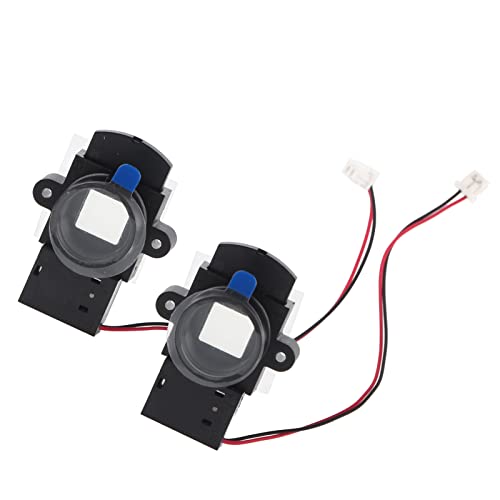
Fixed the problem of daytime color deviation to improve night brightness.

Infrared filters, sometimes called IR filters or heat-absorbing filters, are designed to allow IR mid-infrared wavelengths while block visible light. They are often used in devices with bright incandescent light bulbs (such as slide and overhead projectors) to prevent unwanted heating
Convert a USB Webcam Into a Night Vision Camera
To turn a USB webcam into a night vision camera, start by opening the webcam case. Inside, you’ll find a small glass filter near the sensor that blocks infrared light. Carefully prying out this IR-blocking filter is essential because its removal significantly increases the camera’s infrared sensitivity, allowing it to capture images in low-light conditions. To power the IR illumination for this modification, you will connect IR LEDs around the webcam to a 5V power adapter with resistors. Keep in mind that cellular plans for trail cameras often bundle data and cloud storage, so budgeting for your DIY setup is entirely separate from recurring fees. Unlike a thermal imager, which detects heat signatures rather than light, this modification enhances visible-light sensitivity for low-light imaging. A real thermal camera requires a specialized sensor array to measure temperature variations across surfaces.
After removing the filter, you will need to recalibrate your camera. Connect it to your computer and observe the live feed. Adjust the lens assembly by rotating it while monitoring the image to achieve proper focus. To test if your modification works, point a TV remote at the sensor in a dark room. If the IR LED on the remote blinks visibly on the screen, you have successfully enabled night vision.
Be aware that removing the IR filter affects the color output. During daylight, colors may appear washed out or unnatural. This trade-off enhances IR performance but reduces overall color accuracy. Once satisfied, reassemble the case carefully, avoiding exposure to bright sunlight, which can damage the sensitive sensor.

Full HD 1080P IR Cut IR Led Day Night Vision USB Camera Module UVC compliance for use in OS Windows, Linux, Android, Mac OTG support
Add IR Light to Your Night Vision Build
To add IR light to your night vision build, position the IR illuminator away from your camera to minimize artifacts caused by reflections at close range. Aim it roughly in the same direction as your camera lens, adjusting so that the brightest part of the IR beam overlaps your field of view. This ensures your scene is evenly lit without dark edges. Understanding how infrared illuminators work helps you select the right unit for optimal performance. For a more effective build, choose an illuminator with a wavelength above 850nm to reduce visible red glow.
Use a beam with an appropriate width: a wider beam provides broad coverage for general scenes, while a narrower beam offers longer-distance illumination. Match the beam angle to your camera’s view to avoid wasting IR light on areas outside your target zone. Power the IR illuminator with a 12V power supply, separate from your camera’s 5V source if necessary. Before mounting permanently, test the setup for consistent, even IR illumination, keeping in mind that too much IR light close to the camera can wash out details. Beam pattern tests confirm that a focused spotlight excels at distance while a spread beam covers wider areas, so choose based on your specific surveillance needs.

1PCS 850nm 48pcs LED IR Illuminator Infrared Night Vision Light Lamp For CCTV Camera IR Illuminators
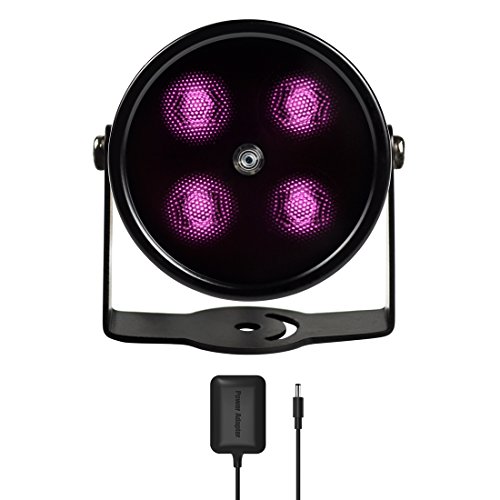
SPECIAL - Upgraded from the most classic mini 4 LEDs IR illuminator with all-around better materials and first ever in black coating

✔AUTOMATICALLY ON and OFF. Built-in with photocell sensor, the ir illuminator automatically switch on at dusk and switch off at dawn, it’s energy saving style. Wave length 850nm Infrared light, the beam light is INVISIBLE to naked eyes but give a red glow.
Build a Raspberry Pi Digital Night Vision Rig
Build a Raspberry Pi digital night vision rig, start by selecting a compatible Pi model such as the Pi 3B or Pi Zero W, and connect a NoIR camera module through the CSI port. Ensure the ribbon cable’s metal contacts face the HDMI side before locking the connector securely. Then, flash Raspberry Pi OS onto a microSD card using the Raspberry Pi Imager, insert it into the Pi, and power it up. Run `sudo raspi-config`, navigate to the camera interface, and enable it before rebooting to activate the camera. The creator of a similar project used an older Pi 3 model with custom Python code for camera control. For those seeking a more advanced solution, reviewing top night vision gear can reveal commercial options that prioritize quality, performance, and value for coyote hunting.
For true night vision, you need to remove any infrared (IR) filters from the camera lens, allowing IR light to reach the sensor. This step can be delicate, so proceed carefully. Afterward, test the camera by using `libcamera` commands to capture images or video in low-light conditions. For remote operation, enable SSH or VNC to access the Pi headlessly. To set up surveillance or motion-activated recording, install streaming software like MJPG-Streamer or Motion. These tools can stream footage over the network or save recordings locally on the Pi, facilitating surveillance with minimal effort. For field applications like deer recovery, thermal drones provide a practical advantage by locating heat signatures in dense cover or at night. While a DIY rig offers flexibility, a Stealth Cam provides a rugged, purpose-built alternative with proven infrared performance and longer battery life for outdoor use.

Noir Camera for Raspberry Pi : This 8MP HD camera module is designed for Raspberry Pi with IMX219 8MP pixel sensor with a fixed focus lens. The difference from the regular V2 is that it does not have an IR filter.

High-Quality Image Capture: Equipped with a back-illuminated and stacked CMOS 12-megapixel image sensor, this Raspberry Pi camera delivers exceptional image quality with enhanced light sensitivity and a high signal-to-noise ratio (SNR), ensuring clear and vibrant photos even in low-light conditions
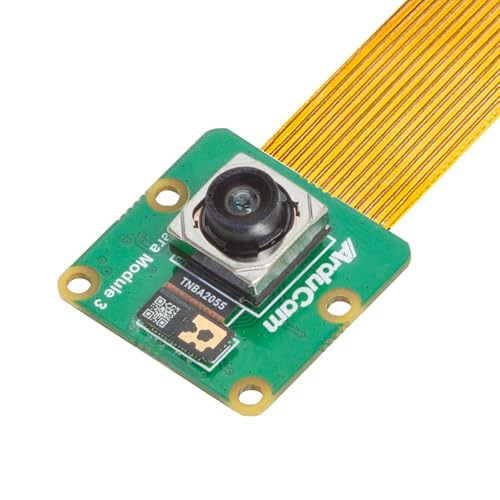
High-Quality Image Sensor: This Raspberry Pi camera incorporates a back-illuminated and stacked 12-megapixel CMOS IMX708 sensor, delivering excellent image quality with a high signal-to-noise ratio (SNR). This ensures crisp, clear images with enhanced sensitivity, especially in low-light conditions
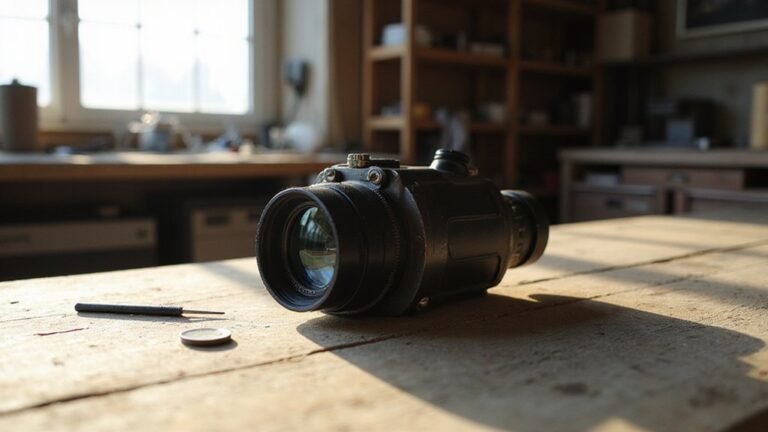
Print a 3D Enclosure for Your Monocular
Print the enclosure in two main parts: the front and back sections. Use standard PLA filament for the main body to ensure rigidity and ease of printing. For the eyecup, choose a flexible filament like NinjaFlex so it can stretch over the retaining ring comfortably. Consider using PETG for components that require superior flexibility and less creep for durable snap fits. Print parts two at a time and at half your usual speed. This approach reduces cleanup and improves detail quality, especially around small features. Use reliable assembly techniques by securing the lens with a retaining ring and four screws, ensuring it stays firmly in place. Design openings for the IR LED, switch, and cables to allow easy access and proper functionality. Make the eyecup rotatable to accommodate left- or right-eye use, providing customizable comfort. Understanding the sensor sensitivity of your chosen image tube will directly impact low-light performance. If your build includes a subscription-based camera, remember to cancel your Stealth Cam subscription to avoid unwanted renewal fees. Consider adding a motion-activated trigger to your design for improved power efficiency and security monitoring. This modular design facilitates easy assembly, adjustment, and maintenance of your monocular enclosure.