4 Best Night Vision Cameras for iPhone That See in the Dark
You’re out at night, and your iPhone camera just can’t capture what your eyes see. That’s where these four thermal and night vision cameras come in. They clip on, plug in, and turn your phone into a serious low light tool. But which one actually fits your needs? Let’s break down the real differences.
| InfiRay T2 Pro Thermal Monocular for iPhone |  | Best for Hunters | Compatibility: iOS (recommended iPhone 15/15 Pro) | Infrared Resolution: 256×192 | Detection Range: Detects objects up to 660 yards, heat signatures to 1300 meters | VIEW LATEST PRICE | Read Our Analysis |
| Thermal Master T2 Pro Thermal Monocular for iPhone |  | Wildlife Optimization | Compatibility: iOS | Infrared Resolution: 256×192 | Detection Range: Identifies 7ft targets over 769 yards | VIEW LATEST PRICE | Read Our Analysis |
| GOYOJO Thermal Imaging Camera for Android/iPhone |  | Best for Inspections | Compatibility: Android and iOS (iPhone 15/16/17 series) | Infrared Resolution: 192×192 | Detection Range: Temperature range -4°F to 752°F | VIEW LATEST PRICE | Read Our Analysis |
| Flir One Thermal Imaging Camera for iPhone USB-C |  | Professional Grade | Compatibility: iOS (iPhone 15 and newer with USB-C) | Infrared Resolution: 80×60 (upscaled to 240×180) | Detection Range: Temperature range 5°C to 120°C (scene) | VIEW LATEST PRICE | Read Our Analysis |
More Details on Our Top Picks
InfiRay T2 Pro Thermal Monocular for iPhone
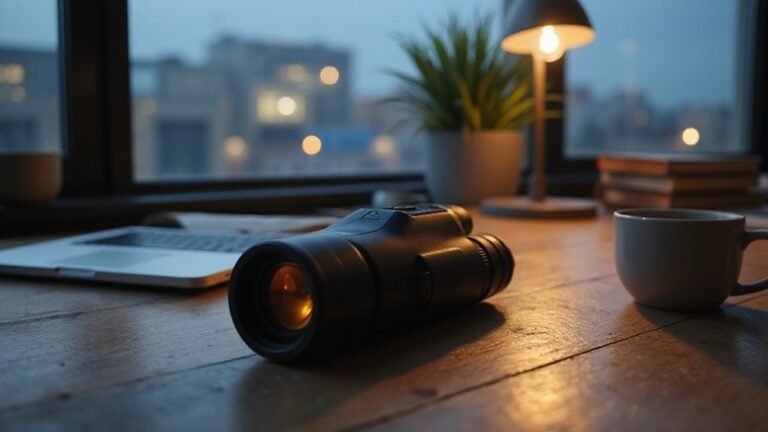
For hunters who need to stay hidden while tracking game, the InfiRay T2 Pro Thermal Monocular for iPhone is a game changer. Its Ninja Mode keeps you completely silent and invisible, so you won’t spook prey. You’ll spot heat signatures up to 1300 meters away, and the hot spot tracking locks onto targets fast.
Pair it with your iPhone 15 Pro via USB-C adapter. You get 2× to 15× zoom, crisp 256×192 thermal detail, and dual modes: green eye for full HD, red eye for dense brush. Tap to switch, track, and take the shot. Simple, stealthy, and smart.
- Compatibility:iOS (recommended iPhone 15/15 Pro)
- Infrared Resolution:256×192
- Detection Range:Detects objects up to 660 yards, heat signatures to 1300 meters
- Zoom:2× to 15× zoom
- Special Modes:Ninja Mode, HD mode, Highlight mode, hotspot tracking
- Connection Type:USB-C adapter
- Additional Feature:25Hz frame rate
- Additional Feature:13mm focal length
- Additional Feature:Hot spot tracking
Thermal Master T2 Pro Thermal Monocular for iPhone
If you’re serious about scanning vast fields or ridgelines, the Thermal Master T2 Pro is your wildlife optimization powerhouse. Its 13mm lens picks up a 7ft target from 769 yards away. You’ll spot whitetail deer at 700 yards, wild hogs at 600, and coyotes at 300.
It packs a 15x digital zoom with pinch control, plus a sharp 256×192 IR resolution. The 50 CNC aluminum handle keeps you comfortable for hours.
Three modes handle any situation: HD for winter clarity, Highlight for summer targets, and Ninja mode for stealth at night. The hotspot tracker follows fast movers automatically. No light leakage, no fatigue.
- Compatibility:iOS
- Infrared Resolution:256×192
- Detection Range:Identifies 7ft targets over 769 yards
- Zoom:15× digital zoom
- Special Modes:HD mode, Highlight mode, Ninja mode, hotspot tracking
- Connection Type:Not specified
- Additional Feature:50 CNC aluminum handle
- Additional Feature:Adjustable phone back clip
- Additional Feature:40mk high sensitivity
GOYOJO Thermal Imaging Camera for Android/iPhone
The GOYOJO GW192A turns your iPhone into a thermal imaging tool without needing batteries or Bluetooth pairing. Just plug it into your USB-C port, open the THG Start app, and you’re ready. Its 192×192 infrared sensor detects temperatures from -4°F to 752°F with ±2% accuracy.
You’ll love the 50° field of view for scanning walls, ceilings, or floors. Use it to find heat loss, electrical hotspots, plumbing leaks, or machinery faults. It’s pocket-sized (1.77 x 0.43 x 1.34 inches), so you can easily carry it up ladders or into tight spaces. Perfect for home inspections, auto repairs, or outdoor night vision!
- Compatibility:Android and iOS (iPhone 15/16/17 series)
- Infrared Resolution:192×192
- Detection Range:Temperature range -4°F to 752°F
- Zoom:Not specified
- Special Modes:Not specified
- Connection Type:USB-C plug-and-play
- Additional Feature:50° wide field of view
- Additional Feature:-4°F to 752°F range
- Additional Feature:No batteries required
Flir One Thermal Imaging Camera for iPhone USB-C
Professional grade thermal imaging usually costs a small fortune, but this FLIR One plugs straight into your iPhone’s USB-C port and changes that. You get Vivid IR technology that upscales its 80×60 sensor to a clearer 240×180 resolution. FLIR MSX overlays thermal data onto visual images in real time, so you spot air leaks or moisture fast. It measures temperature within ±3°C or ±5%, and it’s built tough, surviving drops from 1.5 meters. For home inspections or automotive diagnostics, this compact tool delivers pro results without the pro price tag.
- Compatibility:iOS (iPhone 15 and newer with USB-C)
- Infrared Resolution:80×60 (upscaled to 240×180)
- Detection Range:Temperature range 5°C to 120°C (scene)
- Zoom:Not specified
- Special Modes:Super Resolution, Vivid IR, MSX technology
- Connection Type:USB-C direct connection
- Additional Feature:Flir MSX technology
- Additional Feature:Super Resolution upscaling
- Additional Feature:1.5m drop rated
Factors to Consider When Choosing a Night Vision Camera for iPhone
You need to weigh a few key factors before you buy a night vision camera for your iPhone. Resolution and sensor quality determine the sharpness of your dark footage, while detection range and zoom tell you how far and close you can see clearly. Also, device compatibility guarantees it works with your specific iPhone model, durability and build matter for outdoor use, and image modes and display options give you control over how you view your captures.
Resolution and Sensor Quality
Since resolution and sensor quality directly determine what you’ll actually see in the dark, let’s break down the key specs so you can pick the right night vision camera for your iPhone. You want a higher resolution sensor, like 256×192 or 192×192, because it gives you more detailed thermal images. That means you’ll identify and analyze heat signatures more easily.
The sensor’s pixel pitch, usually around 12μm, matters too. A smaller pitch offers better detail and clarity, so don’t overlook it. Look for higher thermal sensitivity measured in millikelvin (mK). A lower mK number lets the camera detect tiny temperature differences, which boosts detection accuracy in low light. Advanced sensors with higher thermal resolution also handle longer distances better (though we’ll skip zoom specifics here). Focus on these specs, and you’ll get crisp, clear night vision footage every time.
Detection Range and Zoom
Detection range and zoom are where night vision cameras really prove their worth, letting you spot a coyote at the far edge of a field or monitor a driveway from a distance. For iPhone setups, you’ll want a thermal monocular that reaches up to 660 yards, which covers most residential properties easily. Optical zoom keeps targets crisp, while digital zoom, like a 15x option, magnifies details but can soften the image, so prioritize optical clarity first.
Your field of view matters too; a wider angle shows more area, but a tighter one helps you focus on a single target. Combining a long detection range with solid zoom gives you versatility, whether you’re scanning perimeters or identifying wildlife. Pair that with a stable tripod, and you’re set for serious nighttime observation.
Device Compatibility
First, confirm that your chosen night vision camera speaks your iPhone’s language, literally and physically. You’ll need to check if it supports your specific model, especially the newer iPhone 15 with its USB-C port. Older iPhones might require a clunky adapter, like USB-C to Lightning, so double check that before buying.
And don’t forget the software side. Does it work with iOS, or is it only Android friendly? Look for a dedicated app that plays nice with your iPhone’s hardware. Without it, you’re stuck with limited controls and no thermal or night vision integration. A quick review of the camera’s compatibility specs saves you major headaches later.
Durability and Build
Once you’ve confirmed compatibility, it’s time to think about what happens when you take that camera out of your pocket and into the real world. You want a rugged casing rated to survive drops from at least 1.5 meters. Look for IP ratings, like IP67, which mean water and dust won’t stop your night vision. High-quality builds use CNC aluminum or reinforced plastics. They resist scratches and dings from daily use. Sealed connections and durable adapters? Essential. They keep moisture, dust, and debris out of sensitive infrared sensors. The whole construction needs to shield critical components from mechanical shocks. Think of it as gear you can actually use on a hike, a stormy night, or a bumpy trail without worrying. A solid build means your camera works when you need it most. Don’t settle for flimsy.
Image Modes and Display
Three key image modes—HD, Highlight, and Ninja—can seriously boost your visibility and usability in different outdoor conditions, and you’ll want to understand how each one works. HD mode gives you crisp, high-resolution detail for scanning broad areas. Highlight mode amps up contrast, making heat signatures pop against cooler backgrounds, perfect for spotting animals in brush. Ninja mode drops display brightness dramatically, letting you watch without light leakage, so you stay hidden.
Thermal cameras often let you adjust zoom, which changes how these modes perform. Some units even switch modes automatically, reading ambient light to optimize detection. But don’t overlook contrast and color schemes; they’re what help you tell a deer from a fence post. Short answer: pick a camera with flexible modes, and you’ll adapt to any night.