How to Use a Stealth Cam Trail Camera Effectively
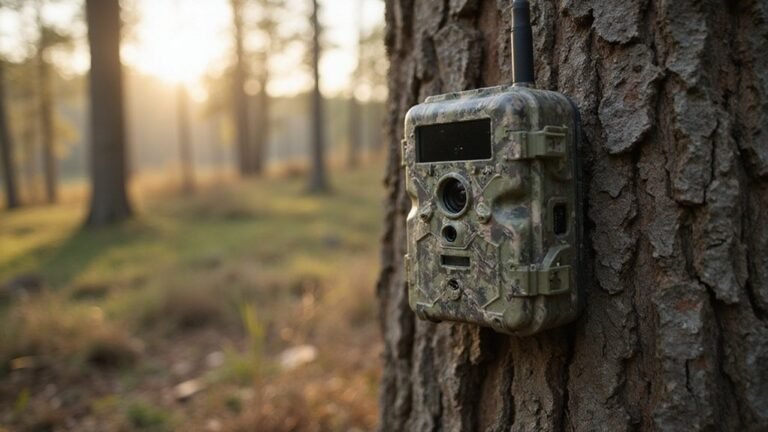
If you want to get the most out of your Stealth Cam trail camera, knowing how to set it up and use its features effectively makes all the difference.
From activating it at home to mounting it in the field, each step helps you capture better shots and conserve battery life.
Stick with me, and you’ll learn how to maximize every aspect of your camera for successful trail monitoring.
Why Your Stealth Cam Setup Starts With the App, Not the Camera
The app is essential for a seamless stealth cam setup because it allows you to check signal strength before you leave for the field. You can view critical status indicators—such as low battery levels, no SD card, or weak signal—directly on your phone, saving you time and guesswork. Unlike traditional optics, thermal scopes work by detecting heat signatures to create an image, a principle that can help you understand your camera’s sensor capabilities. If you are comparing sensor types, night vision devices amplify ambient light rather than detecting heat. Night vision goggles rely on a similar amplification process, which is why their displays traditionally appear in green phosphor to enhance human contrast perception. Completing activation, pairing, and data plan selection at home ensures your camera is fully configured before deployment. This means you walk into the field confident that your device is ready to snap and upload its first test photo without any adjustments. For optimal signal, place the camera where cell service is best.
How to Pick the Perfect Spot for Your Trail Camera
The best spots for your trail camera are areas where deer naturally move, especially near water sources. Position your camera facing the approach to a small pond or creek, focusing on the edges rather than open water to avoid glare and ensure better image quality. When placing on slopes, keep the camera downhill, since deer tend to come from lower ground. Use bait like a clover plot’s inside corner, which provides a consistent food source and helps attract deer without causing disturbance. Cell cameras reduce disturbance since they require less frequent checking, and real-time monitoring via your phone allows you to track buck activity without entering the area. These devices operate on specific electromagnetic wave frequencies that transmit data efficiently through foliage. A Quick Connect feature simplifies the initial pairing process between your camera and phone for faster setup. A cantilever scope mount can also be used to securely attach accessories to your camera setup for improved stability in rugged terrain.
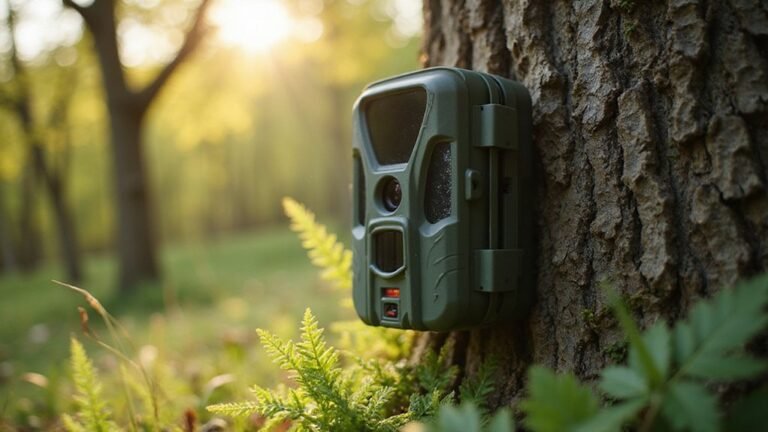
Set your camera at chest height for clear, natural shots. Aim it at about a 45-degree angle to the trail or approach, which offers a good field of view without spooking animals. Avoid facing the camera toward sunrise or sunset to prevent glare and ensure better lighting. Clear away brush or low-hanging branches to broaden your view and keep the camera’s lens unobstructed, and maintain a distance of around 10–15 feet from the trail to avoid alarming game.
Focus on entry points into fields and places where deer naturally pass through cover. Pinch points—small funnels created by terrain or brush—are especially productive for capturing shots, while open ridge tops can be less effective unless you’re targeting specific activity patterns. Proper placement helps you get sharper, fuller images of deer while minimizing the chance of scaring them off.

HIGH-QUALITY HOLDER - Trail Camera Holder Tree Mount is a versatile & practical accessory for mounting trail cameras securely on trees in outdoor settings; The holder simplifies the process of positioning your trail camera for optimal image/video capture
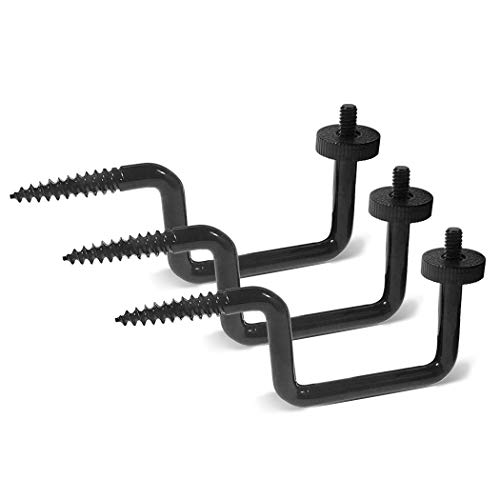
Universal Compatibility: Fits most trail cameras and other devices with a standard 1/4"-20 threaded insert, providing a secure mounting solution for wildlife cameras, hunting cameras, solar panels, and compatible outdoor equipment

【360° ADJUSTABLE VIEWING】Each trail camera mount features a 360° rotating interface, allowing flexible angle adjustment for a wider monitoring range and better camera positioning.
Best Locations for Pinch Points and Travel Routes
Pinch points are the most effective spots for setting up cameras because they naturally funnel deer into narrow lanes. These locations include fence gaps, ridge saddles, creek crossings, and steep ditches. Deer tend to use these terrain features repeatedly, making them reliable areas to monitor movement without needing bait. Position your camera where the terrain guides deer through a small, confined space to maximize your chances of capturing their activity. For hunters who also scout at night, pairing this setup with PVS-31 night vision can provide superior clarity in low-light conditions when monitoring these same travel routes. However, note that complete darkness prevents night vision goggles from working, as they require some ambient light to amplify. For those considering alternative technologies, thermal imaging cameras detect heat signatures instead of relying on light, making them effective in total darkness.
How to Conceal Your Camera Without Blocking the Lens
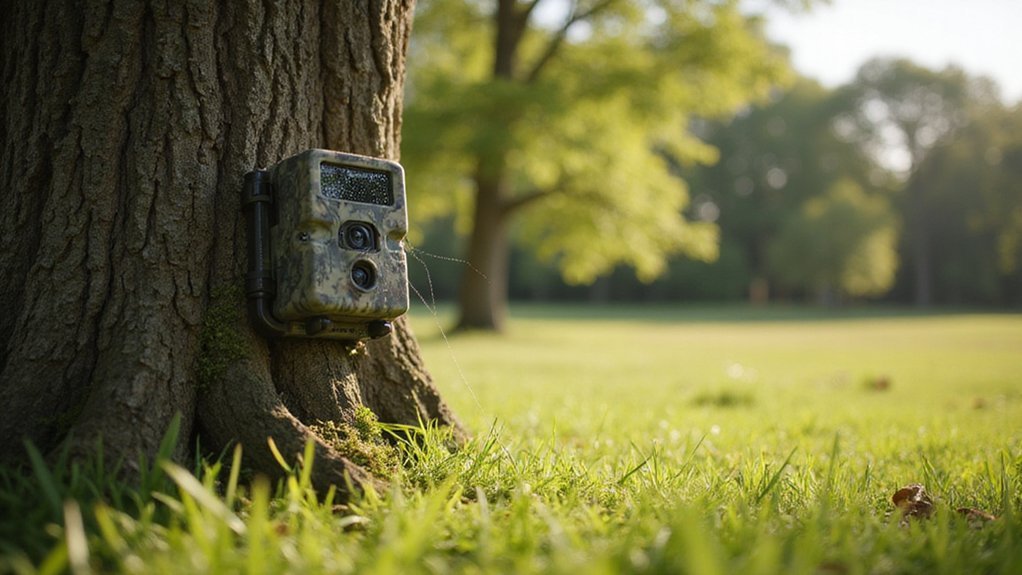
To conceal your camera without blocking the lens, use natural cover materials like bark, leaves, or vines to break up its outline while keeping the lens unobstructed. Focus on blending the camera into its environment by aligning vertical lines created by tree trunks to disrupt its rectangular silhouette. Mount the camera higher—around 5 to 7 feet—and angle it downward to cover your target area effectively while making it less noticeable. For added realism, consider using a specialized concealment tape with a texture resembling fly-tying materials to better mimic natural surroundings. If you are building a custom setup, study how thermal drone builders camouflage sensor housings to avoid detection. For further guidance, adjusting the emissivity settings of your camera can help ensure accurate temperature readings in varying conditions. Choosing a camera that prioritizes high sensor resolution can also improve detection of heat signatures in dense cover.
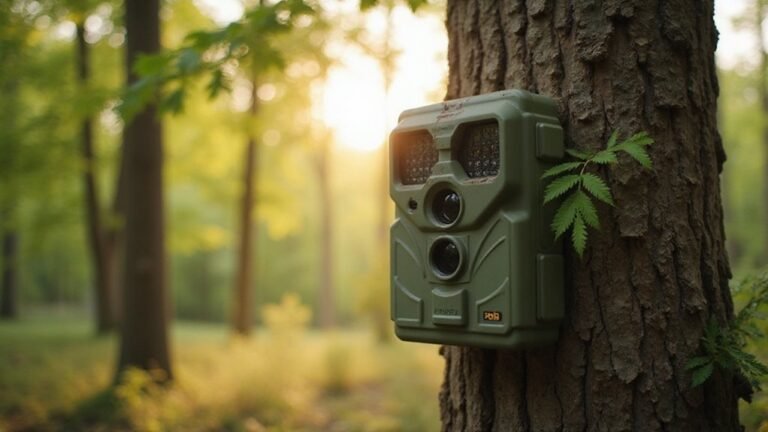
Choose matte, non-reflective finishes that mimic the colors and textures of bark or local foliage to match the environment. Avoid glossy surfaces and shiny straps that can reflect light and give away your setup. Be careful not to block the PIR sensor or infrared LEDs; trim only what obstructs their view, leaving surrounding foliage intact to maintain natural coverage.
Update your camouflage seasonally since leaves and vegetation change color throughout the year. Approach your setup discreetly to avoid leaving trails or disturbed ground that could reveal your presence. Combining these techniques helps your camera blend seamlessly into its surroundings without drawing attention to the lens itself.
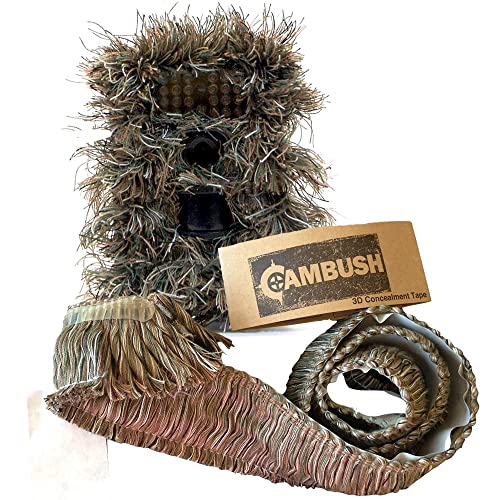

【Color&Size】 You will get 4 Rolls Self-adhesive Protective Fabric Camo Tape. Each roll is 2.0in * 14.76ft/ 5cm * 4.5m. Every camouflage bandage can reach 4.92 yards length after stretching. We have five kinds of color for you to choose——Desert, Grass, ACU Camo, Forest, Bionic Wood. All of our tape is non-reflective with deep Camoy color, it will not fade after several use.

【Self-adhesive Firmly】 - Camouflage warp tape is weak glue design, and it can only stick to itself firmly. So it's easy to remove it as you replace new tapes. Just wrap the surface of the object, hold the tape tightly to strengthen the adhesion of the tape itself. The paste will be very sticky for long time use. The non-woven fabric also enables it to conform to the contours of various shapes items.
Photo, Video, or Timelapse: Which Capture Mode to Choose
Choosing the right capture mode—photo, video, or timelapse—depends entirely on your research goal, since each mode offers distinct trade-offs in battery life, storage, and data richness. For fauna inventories, stick to photo mode. It provides crisp image resolution with lower battery drain, allowing your equipment to operate longer in the field. Video mode captures animal behavior and movement in real time but consumes power more quickly; keep video clips between 10 and 20 seconds to balance detailed information with storage capacity. Timelapse is ideal for observing slow environmental changes over time at set intervals, making it useful for vegetation studies or monitoring gradual events. Remember, timelapse does not respond to sensor sensitivity or motion, so it’s best when slow changes need to be recorded without missing events. Your choice of mode influences battery life and data processing workload directly—match it to your specific research objectives: use photo for presence detection, video for behavioral context, and timelapse for environmental dynamics. Avoid being sidetracked by flashy features; select what best fits your field conditions and data needs.

EXTENDED BATTERY LIFE: Enhance your hunting experience with the FLEX-PLUS cellular trail camera, an essential addition to your hunting equipment. Featuring twice the battery capacity, this game camera offers Instant Mode and on-demand photo and video requests. Plus, activation is effortless using the mobile application and on-camera buttons.

New version trail cam: Clear Day & Night Imaging Capture sharp 64MP photos (adjustable: 5/16/36/48/56/64MP) and smooth 4K HD videos (3840x2160P /2560x1440P). The high-quality optical lens ensures crisp daytime images and night vision performance, making it ideal for wildlife observation, deer scouting, and property surveillance.

Long Lasting Power: The SPYPOINT FORCE-PRO-S 2.0 features a solar panel charging an internal battery that keeps this camera powered for months on end
How to Set Trigger Sensitivity for Fewer False Alarms
To set trigger sensitivity for fewer false alarms, start by accessing your camera’s trigger menu or the Command Pro app if your model supports it. You’ll typically find options labeled low, normal, or high. Begin with the middle setting, then walk through the area to test how the camera responds. Review the test images to see if any false triggers occurred. Adjust the camera’s angle if needed so motion remains in frame longer, which helps the camera distinguish between actual activity and background movement. Choose a lower sensitivity for tight spaces or cluttered backgrounds to reduce false alarms, and a higher sensitivity for wider, open areas where you want to catch all motion. Fine-tuning these settings based on your scene’s environment can save you from unnecessary notifications and ensure the camera only triggers when truly needed. For example, a Low sensitivity setting is ideal for close-range scenes of 10-15 feet to prevent false triggers from nearby leaves or movement. For optimal performance, consider the image intensifier quality of the sensor to better filter out unwanted triggers. Additionally, positioning the camera to avoid direct glare from stage lights can mimic the detection methods used in theatrical settings to minimize ambient interference. Understanding how the camera’s sensor architecture processes heat signatures can also help you predict trigger behavior in varying weather conditions.
Choosing the Right Flash for Stealth at Night
The best choice for stealth at night is a 940nm no-glow flash. This type is invisible to animals and humans, making it ideal for discreet surveillance on tight trails or pressured sites. While it offers a more covert operation, the trade-off is a reduced infrared range of about 60 to 90 feet, compared to the longer reach of 850nm low glow models which can extend up to 150 feet. If your priority is remaining unseen, no-glow is the way to go; however, if capturing images from a greater distance is more important, then low glow might be better despite its faint red glow that can alert nearby creatures. For instance, a 640nm red flash emits more visible light, which can result in brighter images with less noise but is more likely to spook animals, reinforcing why no-glow is preferred for covert operation. Match your flash type to the situation: use no-glow for high-pressure environments where concealment is crucial, and opt for low glow when you need more distance and can accept some visibility. For a detailed comparison of overall performance and cost, consider the Spypoint vs. Stealth Cam debate. To further protect your camera in the field, consider building a trail camera security box to shield it from theft and weather damage. Building your own gear, such as thermal goggles, can offer additional insight into how infrared and heat-detection technologies function.

940nm Infrared Light Wavelength: This ir flashlight emits invisible 940nm IR light, please do use the right night devices that match the 940nm ir light, without the right night vision devices you can't see the infrared light or can't obtain the efficient night vision effects.

INVISIBLE IR LIGHT --- FandyFire 501IR flashlight is not for General Lighting Purpose, it emits high power invisible 940NM infrared light, IR can't be seen by human eyes, recommend to use night vision monocular and goggles together.(only a small, faint red glow on the LED that shows you that the torch is on)
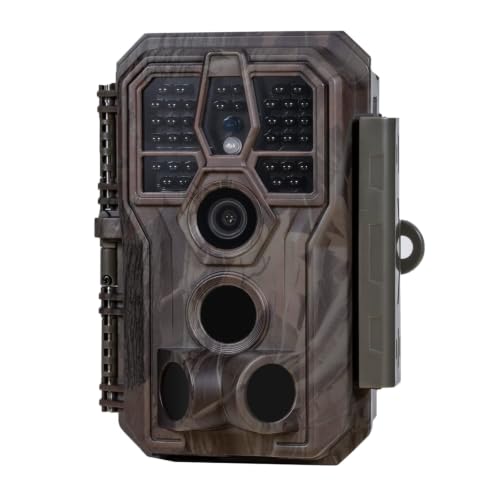
64MP Photos & 1296P HD Videos: Equipped with a high-quality optical lens and advanced image sensor, the E5S captures ultra-sharp 64MP photos and smooth 1296P HD videos.
What to Check During Monthly Trail Camera Maintenance
Monthly trail camera maintenance is essential for ensuring your device functions properly when you need it most. Start by inspecting the exterior housing for cracks and weather seal gaps, wiping away mud and spider webs with a microfiber cloth to keep the camera clean and protected. Check the camera lens calibration by carefully cleaning the main lens and Fresnel sensor cover with alcohol wipes—fogging or scratches can significantly reduce image clarity. Open the battery compartment to scrub away any corrosion on the contacts, which can interfere with power flow. During cold months, it is critical to switch to lithium batteries to prevent freeze damage and voltage drops. Remove your SD card, delete old files, and format it to maintain reliable performance and prevent data corruption. When formatting the card, you should follow the steps to clear your SD card to avoid residual file conflicts. Verify that your field of view isn’t obstructed by new vegetation or debris, as even small blockages can prevent capturing important footage. Unlike thermal monoculars that detect heat signatures in darkness, trail cameras rely on ambient light and motion triggers, so understanding their core detection limitations helps you position them more effectively. Finally, follow the manufacturer’s firmware update procedures to keep your camera’s behavior stable and take advantage of any performance improvements. Tighten your mounting straps securely and perform a trigger test to ensure motion detection is accurate and that the camera is properly aligned. Never skip this test, as it confirms your setup is ready for the next tracking period.
Extending Battery Life With Solar and Smart Settings
Switching from immediate uploads to hourly or twice-daily schedules significantly conserves battery life. This approach minimizes cellular transmissions, which are among the fastest drain sources. Video mode consumes much more power than still photos, so use single-shot capture whenever possible. Additionally, increasing the delay between triggers reduces unnecessary wake-ups and data transmissions. These smart settings lower power consumption—especially during periods of low activity—allowing your camera to operate for months on a combination of solar power and conservative configurations. Secure power cords between the T-post and solar pack to prevent damage and disconnection.
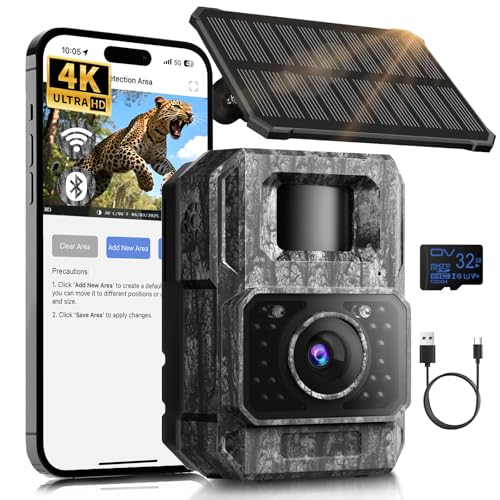
𝐍𝐎𝐓𝐄: 𝐢𝐭 𝐢𝐬 𝐍𝐎𝐓 𝐜𝐨𝐦𝐩𝐚𝐭𝐢𝐛𝐥𝐞 𝐰𝐢𝐭𝐡 𝐡𝐨𝐦𝐞 𝐖𝐢𝐅𝐢, 𝐝𝐨𝐞𝐬 𝐍𝐎𝐓 𝐬𝐮𝐩𝐩𝐨𝐫𝐭 𝐜𝐞𝐥𝐥𝐮𝐥𝐚𝐫/𝟒𝐆/𝟓𝐆 𝐧𝐞𝐭𝐰𝐨𝐫𝐤𝐬, and 𝐝𝐨𝐞𝐬 𝐍𝐎𝐓 capable of real-time motion alerts or push notifications. The camera creates its own short-range Wi-Fi hotspot (𝐍𝐨𝐧-𝐂𝐞𝐥𝐥𝐮𝐥𝐚𝐫) for setup, and downloading files only. Wi-Fi range is up to 33–50 ft in open areas. The camera records automatically even when your phone is not connected. No subscription or monthly fees

Solar Powered & 6000mAh Rechargeable Battery: This solar trail camera with built-in 6000mAh rechargeable lithium battery, combined with high-efficiency solar charging, providing uninterrupted power for outdoor use. No need to frequently replace disposable batteries, saving time and cost. It offers long-lasting, maintenance-free performance for year-round wildlife monitoring, hunting and nature observation.

[1 Min Magnetic Mount - No Tools, No Drilling]This wireless RV backup camera installs in just 1Min — very easy to install—with our super-strong magnetic base: simply snap it onto any metal surface and go. No screws, no wires, no professional installation required. Stop wasting hours on complicated wiring or paying $200+ for shop installation. Whether you're switching between your truck, RV, or boat, the camera moves instantly. A wireless backup camera that respects your time — and your vehicle.
When and Why to Relocate Your Camera for Changing Deer Patterns
Relocating your camera to follow changing deer patterns is essential, especially as the season progresses. When deer shift from feeding to seeking out bedding and rut activities, your camera placement should follow suit. In late summer, move cameras toward food sources like soybeans or corn fields to catch feeding activity before the season opens. By late October, you’ll want to shift them to scrapes and trails near bedding areas as pre-rut signs become more evident. During peak rut, position cameras at funnels and pinch points where bucks are likely to search for does and move through narrow corridors. In December, switch back to food sources as deer focus on feeding again, looking for signs like a decrease in trail activity, new rubs, or a change from bean to acorn consumption. If your camera captures empty frames, it indicates a shift in the deer’s routine, and you should relocate it to active trails, field entrances, or fresh sign to stay on their current routes. Use tools like the OnX Hunt app to drop pins on active locations, ensuring you can track and retrieve cameras placed near shifting deer patterns without losing equipment. Remember, consistent observation and quick adjustments keep your camera setup effective throughout the season.