How to Work a Trail Camera: A Beginner’s Guide
Wondering how to set up a trail camera for clear wildlife photos? Getting it right involves more than just pointing it in the right direction.
The key is knowing where and how to position your camera, along with ensuring it’s properly powered and ready to capture what you want.
Keep reading to learn the essential steps to master your trail camera setup and avoid common pitfalls.
Mount Your Trail Camera North and Along Active Trails
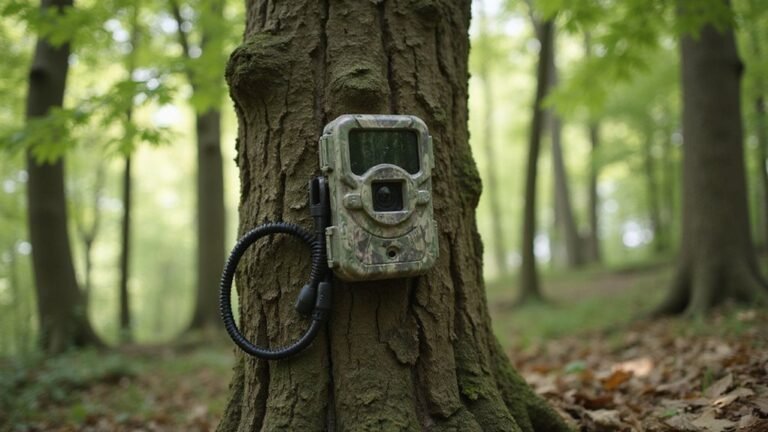
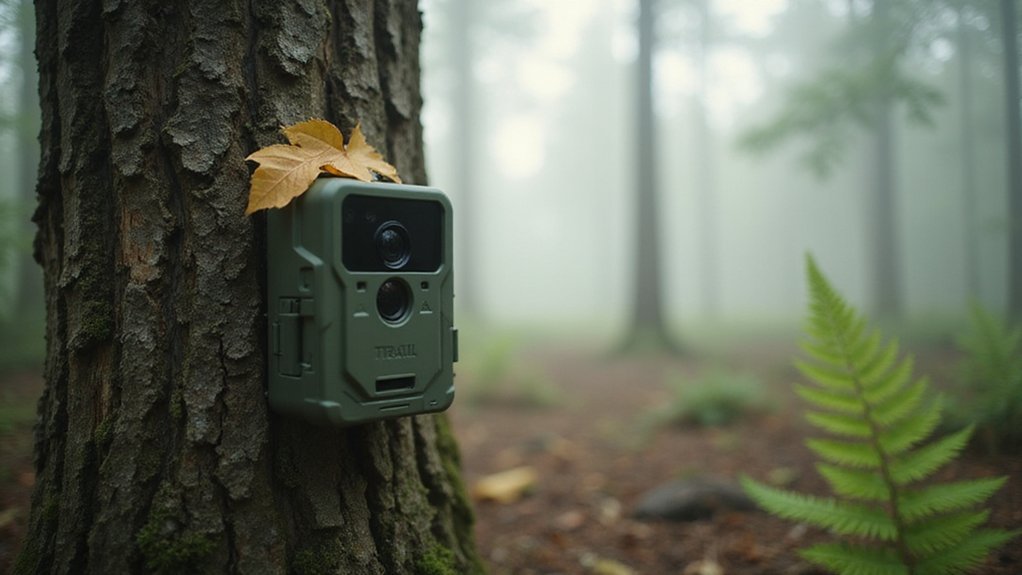
Mount your trail camera facing north along active travel routes to optimize its effectiveness. A northern orientation keeps the sun at your camera’s back, which reduces glare and false triggers caused by changing light conditions. This placement also prevents sunrise and sunset from washing out the images, resulting in clearer photos. Avoid east or west facing setups, as they tend to ruin your daytime shots with harsh lighting. For best results, consider using DIY thermal camera techniques to further enhance detection capabilities. Unlike thermal imaging, which detects heat signatures, night vision amplifies ambient light to see in darkness. Understanding how trail cameras work helps you choose the best setup for your specific needs.
Trail alignment is equally important. Position your camera so the lens runs parallel to animal travel corridors, such as pinch points, creek crossings, or hardwood edges. This setup captures side views as animals cross the frame, instead of head-on approaching shots, increasing the chances of longer detection windows and more useful images. For optimal trigger performance, avoid placing the camera perpendicular to the trail to maximize the time animals are in frame.
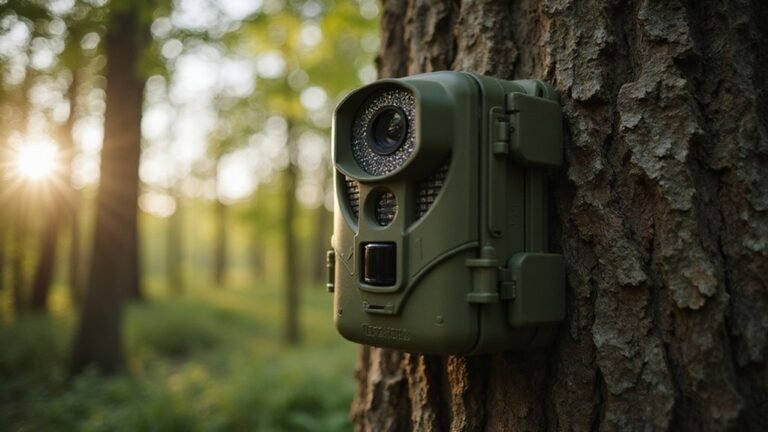
If facing north is not possible, south should be your second choice. Always clear away any branches or brush that may sway and interfere with the camera’s view. Secure the mount tightly to maintain proper alignment, since stability preserves the camera’s orientation over time. Slightly angle the camera downward to prevent the sky from filling the frame, which improves image quality even under bright conditions.

HIGH-QUALITY HOLDER - T-Post Trail Camera Holder is practical accessory designed for secure & convenient mounting of trail cameras on T-posts; The holder simplifies the process of positioning your trail camera, ensuring you capture the ideal shots/footage

Sturdy and Reliable: Made with durable steel construction and a powder-coated finish, these camera mounts provide a secure and stable mounting option for your trail cameras.(CAMERA NOT INCLUDED)

Multi-Angle Outdoor Shooting: Comes with 4 trail camera mounts to fulfill your multi-angle shooting demands. Fully assembled camera stand measures only 5.1 inches long, compact and lightweight, easy to carry and suitable for outdoor shooting.
Set the Camera 3–4 Feet High and 3–5 Meters From the Trail
Set your camera 3 to 4 feet off the ground and 3 to 5 meters back from the trail. This height and distance align with a deer’s chest level, which improves trigger accuracy and reduces false alarms caused by ground clutter. Mounting the camera at this height makes it easier to access for battery changes and maintenance. The 3 to 5 meter range ensures the sensor captures approaching animals rather than just their rear end, providing clearer, full-body images. However, if you choose a model like the Tactacam Reveal, you should know that using it without cellular limits your ability to receive real-time alerts and remote images. Adjust these measurements slightly for smaller or larger animals to optimize detection, but starting here gives you a reliable setup for consistent results. This setup mimics the optimal detection range of PVS-14 devices, which are designed to prioritize clear image capture at mid-range distances. Unlike those military-grade devices, trail cameras rely on built-in infrared LEDs to illuminate the scene, meaning they function in complete darkness only by emitting their own light source.

HIGH-QUALITY TRAIL CAMERA HOLDER - The HME Economy Trail Camera Holder is a practical and cost-effective accessory designed to simplify the mounting of trail cameras in outdoor settings; Features a compact low-profile design

ADJUSTABLE TRAIL CAMERA MOUNT – Easily adjust the mount to fine-tune your camera’s viewing direction. The flexible design helps position your camera for the coverage and angle you need.

Metal Housing Mount is ideal for your Oculus Rift camera, for Arlo & Arlo Pro, for Wyze Cam and other small mount cameras,less 3 lbs camera will be preferable for installation;
Angle the Lens Parallel to the Ground, Centered on the Trail
To ensure accurate wildlife detection, you must angle the lens so it is parallel to the ground and centered on the trail. This alignment keeps your camera shooting straight across the travel lane, avoiding frames that are dominated by sky, which reduces the chance of capturing animals effectively. For optimal framing, point the lens at about a 45-degree angle to animal movement. This positioning captures more complete body images and detailed rack views. It also improves motion detection because the sensing zone aligns better with how animals naturally move through the frame. Any misalignment, like a crooked mount or leaning tree, can throw off this setup, causing you to miss key trigger events. Always walk past the camera before leaving to confirm that the trail is centered and the lens is perfectly level. Never leave your setup until you are sure it is square and pointing directly at the trail. Use straight, stable trees for mounting to ensure a level shooting angle that prevents misaligned footage. Additionally, remember that camera height also plays a critical role in capturing target animals effectively. For best results, select a mounting height that matches the average chest height of your target species. Unlike a smartphone’s built-in sensor, which lacks thermal imaging capabilities, trail cameras rely on standard motion detection rather than heat signatures to trigger captures.
Install Fresh Batteries, an SD Card, and the Correct Date
Install fresh batteries, an SD card, and set the correct date before using the camera. Use eight new 1.5V AA alkaline or lithium batteries, ensuring they are all fresh and not mixed with old ones. Check the polarity—the flat end goes against the spring—and make sure the battery tray is fully seated until it clicks into place. If storing the camera for months, remove the batteries to prevent leakage and damage. To secure the battery compartment after installation, push the cover in until it snaps into place. Consider that night vision camera technology often relies on stable power to function properly in low-light conditions. For the best low-light performance, choose a model with high-quality optics that are commonly found in top-rated night vision devices. To reduce overall costs, compare models with durable construction that can withstand outdoor conditions without needing frequent replacements.
Insert the SD card into its slot while the camera is turned off. Many models require formatting the card before first use to ensure proper operation. Once the SD card is installed and formatted, power on the camera and enter SETUP mode. Set the date and time accurately because timestamps are crucial for organizing your footage. Keep in mind that replacing batteries can reset the clock, so double-check the date after installing new batteries. Never turn the camera on without installed batteries.

In The Box: Pack of 40 1.5 volt AA alkaline batteries with high energy density to deliver reliable performance

These double AA batteries provide dependable power for everyday use and emergency supplies

Energizer Double A Lithium batteries are the world's longest lasting AA batteries.
Choose Trail Camera Settings: Photo, Video, or Combo Mode
Video mode records short clips, typically between 5 and 30 seconds, which helps capture behavior and movement context. Longer clips provide more detail but use memory more quickly, so selecting the appropriate length is important. To ensure your clips are usable, you may need to add a camera to the Moultrie Mobile app for remote viewing. Combo mode takes a photo first and then records a video for each trigger, offering both identification and action details. However, it uses more battery power and fills up your memory card faster. Always test your chosen mode before leaving the camera in the field to ensure it functions as expected. For consistent performance across different camera makes, settings uniformity ensures all devices capture media with identical quality and timing specifications. The total number of triggers and clip length heavily impact overall battery depletion. If you need to access your footage from a smartphone, the Tactacam Reveal activation process is essential for enabling cellular connectivity.

[SIMPLE & RELIABLE TRAIL CAMERA FOR BEGINNERS] Designed for first-time users, this entry-level trail camera focuses on easy operation and dependable performance. The classic solid brown housing blends naturally into outdoor environments, making it ideal for wildlife monitoring and backyard use. With clear, straightforward controls, anyone can start using it in minutes—no technical experience required. A perfect choice for hunters, landowners, and beginners looking for a no-frills, easy-to-use trail camera.(8×AA batteries and SD card not included.)
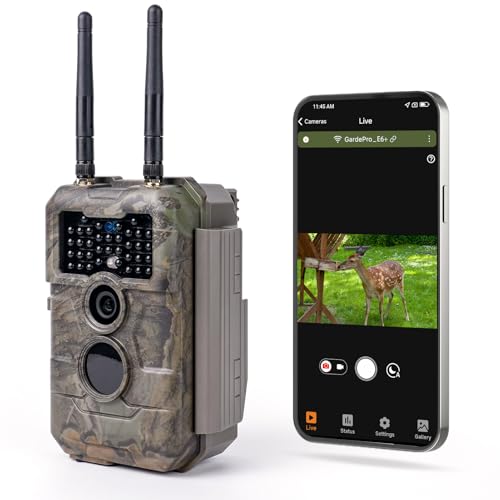
Innovative WiFi Connection: Features super low-power WiFi, compatible with Bluetooth, comes with a free and easy-to-use App (GardePro Mobile), allows you more easily to operate your cameras. No monthly fee. No remote control is required. Note: The E6 2.0 does not connect to home WiFi routers or cellular networks. This camera supports direct connection to a smartphone only, using Bluetooth and the camera’s built-in WiFi. PCs, laptops, and web browsers are not supported for WiFi connection.

64MP Photos & 1296P HD Videos: Equipped with a high-quality optical lens and advanced image sensor, the E5S captures ultra-sharp 64MP photos and smooth 1296P HD videos.
Use Short Delays and Low Sensitivity to Save Battery Life
Using short delays and low sensitivity settings can significantly extend your trail camera’s battery life. Set the delay to 30 to 60 seconds to reduce how often the camera re-arms after capturing an image. This lower trigger frequency means fewer motion detection and image processing events each day, conserving power especially when animals frequent the same spots repeatedly. For additional protection, consider housing your camera in a custom security box.
Lower sensitivity is also effective. Opt for medium or low settings, particularly in windy or brushy areas. This adjustment minimizes false triggers from blowing grass or small animals, which would otherwise wake up the camera unnecessarily. Combining a longer delay with reduced sensitivity can cut your camera’s energy consumption in half or more, allowing you to monitor longer between battery changes. Start with a 30-second delay and medium sensitivity, then fine-tune based on how much animal activity occurs at your site. For cameras that require a full reboot, you can perform a factory reset to restore default settings. For the best balance of quality and value, consider models that offer manual sensitivity controls to further optimize battery performance.
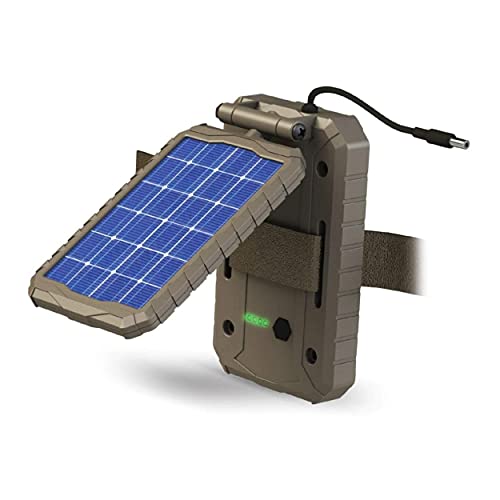
EXTENDED CAMERA FIELD LIFE: Embrace renewable energy, eliminating the need for traditional batteries and ensuring a cost-effective approach to keeping your trail cameras charged; A 3000mAh Li-ion Battery extends the field life of your trail camera

Universal:This Trail Camera Power Cord is suitable for all universal batteries and Trail game cameras(5.5x2.1mm DC Plug).Compatible with Stealth Cam,Spypoint,Moultrie,Browning and Wildgame Innovations,Muddy,Covert WC20 and WC30,Black Gate.

【Full Compatibility -Edge Series Cameras】Seamlessly compatible with all moultrie edge cellular trail camera (Edge/Edge Pro/Edge 2/Edge 2 Pro) . Precisely fits original battery slots, Trusted by hunters and wildlife researchers.
Walk in Front of the Lens to Test Trigger and Angle
Walking in front of the lens is the best way to test the trigger and angle. Start by crossing the frame side-to-side at the expected travel corridor, not directly toward the camera. Move left to right and right to left at different distances, typically between 3 and 10 meters, since detection performance varies with range. Check your test shots to ensure motion was captured and not just detected. Adjust the camera’s aim across the trail with a slight downward tilt, keeping the target path centered. If your subject appears too close to the edge or is out of frame, reposition the camera. Redo the walking test until you are confident the PIR sensor triggers exactly where you want it. Once you get good shots from both directions, your setup is ready. Testing questionable cameras is essential, not optional, for ensuring confidence in your gear and hunting decisions. For the most reliable setup, consider comparing your camera’s sensitivity to the best night vision goggles used by military professionals for consistent target detection. If your camera fails to respond or locks up during these tests, a full power cycle is the first step toward restoring normal operation, as clearing internal errors often resolves trigger issues.
Check Your Camera Every Two Weeks to Avoid Disturbance
Checking your trail camera every two weeks strikes a good balance between gathering useful data and minimizing disturbance to wildlife. This interval allows you to review recent footage, swap out memory cards, and replace batteries before they run out. Visiting less frequently reduces human scent and movement around the camera, helping preserve animals’ natural behaviors, especially near bedding or feeding areas. Plan your visits during midday, when most animals are less active, and only go when necessary to avoid putting unnecessary pressure on the environment. For new camera setups, you might check more often initially to ensure trigger speed and angle are correct, but once your setup is stable, a biweekly schedule works well for remote locations.
Turn the Camera Off Before Removing the SD Card (And Lock It)
Always turn off your trail camera before removing the SD card. Powering down ensures that files are not corrupted and prevents memory errors. Wait until the indicator light stops blinking to confirm the device is fully off before touching the card. This simple step helps protect your data and maintains the health of your camera firmware.
Check the SD card’s side write-protect tab before removal. If it’s locked, slide it to the unlocked position to avoid corrupted files when reusing the card. A locked card can appear as a camera malfunction, leading to unnecessary troubleshooting. Always verify the lock status to distinguish between a genuine issue and a simple lock.
To remove the SD card, gently press it inward to disengage it from the spring-loaded slot. Carefully pull the card straight out to avoid bending the contacts or damaging the slot. If the card is recessed or difficult to eject, use a non-conductive tool like a plastic pry or tweezers. This protects both the card and the slot, ensuring reliable compatibility and a smooth insertion when reinstalling. Observing the card’s insertion face and noting its orientation is crucial for proper reinsertion.
Fix Common Setup Mistakes: Overgrown Views, Wrong Heights, and Missed Trails
Vegetation overgrowth is a common reason for trail camera failures, so always clear grass, branches, and other obstructions from the lens and detection zone before leaving the setup site. Overgrowth blocks the camera’s view and can cause false triggers, wasting your memory and battery life. Revisit and clean your camera after storms or rapid plant growth to maintain a clear line of sight. Regularly managing vegetation ensures your camera captures clear, relevant images and minimizes frustration. To further prevent these issues, angle the camera slightly downward so that waving grass in the foreground does not set off the sensor.