
How Many Batteries Does a Tactacam Reveal 3.0 Take?
If you’re wondering how many batteries your Tactacam Reveal 3.0 needs, you’re in the right place. It uses a removable cartridge that holds 12 AA batteries, which can be disposable or rechargeable.
The choice of batteries affects how long your camera can run before needing a change. Keep reading to see how to maximize your camera’s battery life and what options you have.
How Many Batteries Does the Tactacam Reveal 3.0 Take?
The Tactacam Reveal 3.0 takes 12 AA batteries. This specific battery capacity allows the camera to run efficiently in various outdoor conditions. Using a specialized cartridge, it ensures quick and easy installation and replacement. For optimal performance, Tactacam recommends using Energizer lithium or Duracell Max alkaline batteries, as these supply a reliable power source. To maximize battery life, avoid mixing different brands or types, since mixed batteries can drain faster and reduce overall runtime. Lithium batteries are especially advantageous in cold weather because they retain their power better than alkaline ones. Updating the camera firmware can also help improve battery efficiency and overall performance. If you prefer to eliminate frequent battery swaps, the camera also supports external power options via a 12V DC input, such as solar panels or external batteries, which can keep your camera operational longer without needing to open the housing. For a seamless upgrade, you can instead use a 6000mAh rechargeable battery that fits the original slot and also charges via USB-C or compatible solar panels. Strategic camera placement near thick cover also reduces the need for frequent checks, letting you maximize every charge while keeping the unit hidden. Understanding the overall cost factors of power solutions can help you budget for long-term use.
How Long Do 12 AA Batteries Last in Photo vs. Video Mode?
In photo mode, 12 lithium AA batteries can last over 4,000 pictures under above-freezing conditions. This mode consumes less power because each trigger only captures a still image, which requires minimal energy. As a result, your batteries can provide long-lasting performance, often lasting several months before needing replacement. Choosing the right type of device, such as night vision goggles, ensures you match power demands to your specific needs. For users comparing models, the Tactacam Reveal 3.0 Pro offers enhanced video capabilities that further increase power draw. However, be aware that using such devices in the field is subject to state-specific regulations that govern nighttime wildlife observation. Switching to Pic+Video mode, however, drastically reduces this lifespan. Every trigger now records a video clip in addition to taking a photo, which significantly increases battery consumption. Under moderate use, you might only get about 1.7 months of runtime before batteries need replacing. Cold weather further accelerates drain, making lithium batteries essential for maintaining usable performance. If you want maximum photo capacity, stick with photo mode; but if capturing videos is a priority, expect to swap batteries more frequently.

TWO FLEXPACK R5 BATTERIES, ONE BUNDLE — Stock up and save on the rechargeable power system built exclusively for REVEAL 4.0 cameras, giving you a spare battery ready to swap in seconds.

[4-Pack 6000mAh Battery + 4-Port Fast Charging System] Includes 4× 6000mAh high-capacity rechargeable lithium batteries with a 4-slot charging station. Charge all batteries simultaneously for maximum efficiency. Designed to reduce downtime and keep multiple trail cameras powered during extended field use.

High Capacity & Solar-Ready: Voltage: 7.2V, Capacity: 6000mAh, Power: 43.2Wh. It can be paired with Reveal solar panels to provide continuous power for Reveal trail cameras, achieving long-term operation without the need for battery replacement
Can You Use Rechargeable Batteries in the Reveal 3.0?
Yes, you can use rechargeable batteries in the Reveal 3.0, but with important limitations. Tactacam advises against mixing different battery chemistries, so you should not combine rechargeables with alkaline or lithium cells. For optimal performance, use high-quality 1.2V NiMH rechargeable AA batteries. While not the primary recommendation, these batteries can improve your infrared flash range. Keep in mind, however, that cold weather can reduce their effectiveness compared to lithium batteries. For instance, a DIY build approach similar to constructing a thermal drone requires careful power management to avoid voltage drops.
The camera’s power management system prefers a consistent voltage across all 12 battery slots. The safest and most reliable solution is to use the official REVEAL Lithium Cartridge. This rechargeable option can be recharged via the supplied cable or a solar panel. It is the only rechargeable power source officially endorsed by Tactacam, ensuring there are no voltage mismatches or chemistry conflicts that could impair your camera’s operation. Understanding the underlying technology of the camera’s voltage detection helps explain why consistent power sources are critical.
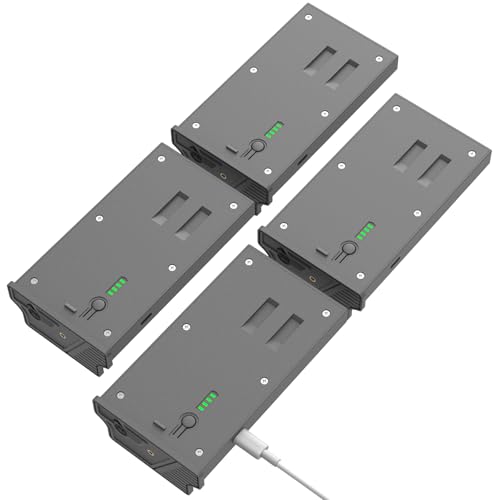
Wide Compatibility: Perfectly Compatible with Tactacam Reveal X, Ultra, XB, SK, Reveal X Pro, X Pro 2.0, X Pro 3.0, Reveal X Gen 2.0, Reveal X Gen 3.0 Series Cellular Trail Hunting Cameras.

【Full Compatibility】: Designed for Tactacam Reveal Cellular Trail camera, fully compatible with Trail & Game Camera Pro 3.0,X Pro,X Gen 3.0,X Gen 2.0,X,Pro 3.0,XB,SK.

REPLACES UP TO 1,000 DISPOSABLE AA BATTERIES — Cut battery costs and reduce waste while spending fewer trips replacing dead cells in the field.
What External 12V Power Options Work With the Reveal 3.0?
The Reveal 3.0 can be powered using external 12V power sources such as batteries or solar panels. You can connect a common 12V battery like a lawn mower, car, or marine battery, with amp-hour ratings from 7.5Ah to 16Ah. These batteries provide extended runtime but require proper management to prevent draining your pack prematurely. They offer high efficiency for long-term deployments. For a DIY setup, use an ammo box as a durable, weather-resistant enclosure to house the battery and protect connections. Military-grade systems often require the most reliable low-light performance for critical operations, even in sustained field use. Following the activation steps from the guide ensures your external power is recognized correctly. For maximum reliability in harsh conditions, many users pair these setups with a camera that delivers superior image clarity in complete darkness.
Alternatively, a solar panel like Tactacam’s REVEAL Solar Panel works well. It outputs 12V/1.5A and has a built-in lithium battery that charges via sunlight or an included adapter. You connect it through the camera’s 4×1.7mm barrel port. Remember, it charges only the lithium battery, not standard AA cells. For DIY setups, add an inline fuse and threaded plug for safety and connection reliability, with voltage input in the range of 6.2 to 12V.

Universal Compatibility: Works with alarm systems, security devices, UPS, kids ride-on cars. 12V7Ah/20HR rechargeable battery replaces 1270 batteries, UB1270, RT1270, CA1270, 12FM7 and more.
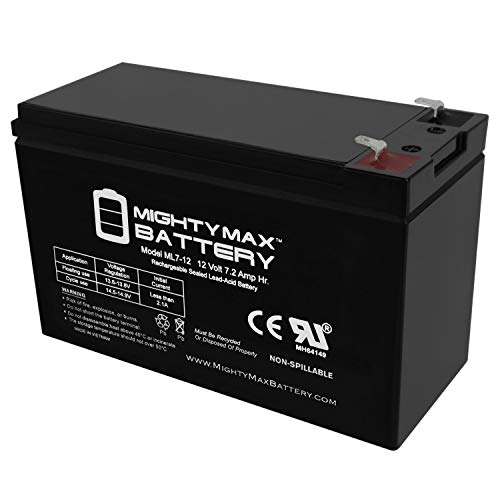
Ml7-12 Sla Is A 12V 7 2Ah Sealed Lead Acid (Sla) Rechargeable Maintenance Free Battery
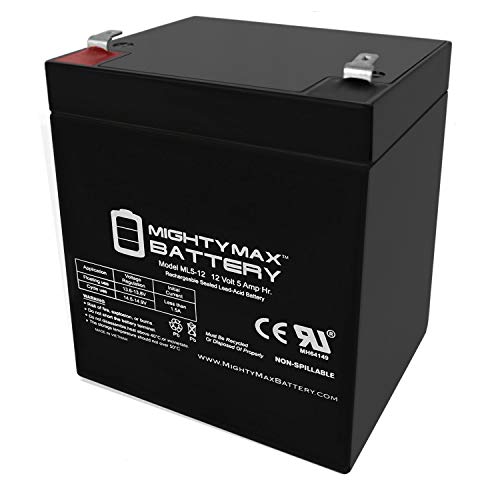
ML5-12 SLA is a 12V 5AH Sealed Lead Acid (SLA) rechargeable maintenance free battery
How Do You Replace the Battery Cartridge in the Reveal 3.0?
To replace the battery cartridge in the Reveal 3.0, follow these steps:
- Remove the existing cartridge by gently pulling it out of the device.
- Insert the new cartridge into the same slot, ensuring it clicks into place.
- Connect the cartridge to a power source using a USB-C cable. The cartridge’s indicator light will turn on, then turn solid when fully charged.
This process is straightforward and designed to minimize downtime. The USB-C recharge capability means you can quickly restore power without using disposable batteries, making it a more eco-friendly choice, as the rechargeable battery replaces hundreds of disposable AA batteries over its lifetime, reducing costs and field waste. Remember to recycle any old AA batteries you remove and avoid throwing them in the trash. For users seeking similar portable power solutions, thermal camera systems for vehicles often utilize rechargeable battery packs to ensure reliability in the field. Thermal cameras detect infrared radiation to create images based on temperature differences, a principle also applied in devices like the Reveal 3.0 to manage power efficiently for extended field use. This connection process shares similarities with connecting AGM thermal devices to a phone, which also requires a dedicated app and USB-C interface.
What Solar Panel Works Best for the Reveal 3.0?
The best solar panel for the Reveal 3.0 is a 12V model with an integrated battery pack designed for outdoor use. This type ensures compatibility with the camera’s 6.2–12V external input range and provides stable power in varying conditions. Prioritize a solar panel that has an internal battery or charge controller because it smooths out power delivery when sunlight is limited, helping avoid interruptions. For low-light situations, thermal imaging detects heat signatures independent of visible light, but for your solar setup, ensure the panel still captures sufficient infrared radiation. A higher-capacity battery pack within the solar unit directly extends your camera’s operational time, making longer deployments feasible. Ensure the panel is capable of generating enough power in direct sunlight, as smaller or lower-capacity panels may struggle in shady areas or overcast weather. Placement is crucial—aim for exposure to direct sunlight for the best results. Selecting a solar panel with sufficient capacity safeguards against unpredictable outdoor lighting and keeps your Reveal 3.0 powered reliably without frequent manual intervention.
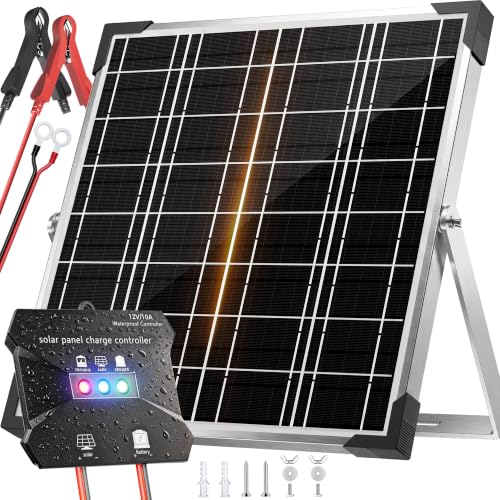
High-Efficiency MPPT Solar Charger - Advanced tracking technology delivers 20-30% faster charging for 12V batteries. A+ monocrystalline panels maximize power conversion. Perfect 20W solar trickle charger for cars, RVs, boats, and trailers. More sun captured, less time waiting.

【High Conversion Rate】This 20W solar panel with monocrystalline A+ solar cell has an excellent cell efficiency of 21%-30%. Designed to charge and maintain 12V rechargeable batteries like LiFePO₄, Lithium Ion, AGM, SLA, GEL, EFB, MF, etc. Keep batteries in charged for trailer, tractor, truck, boat, motorcycle, RV, car, lawn mower, water pump, gate opener, electric fence, etc
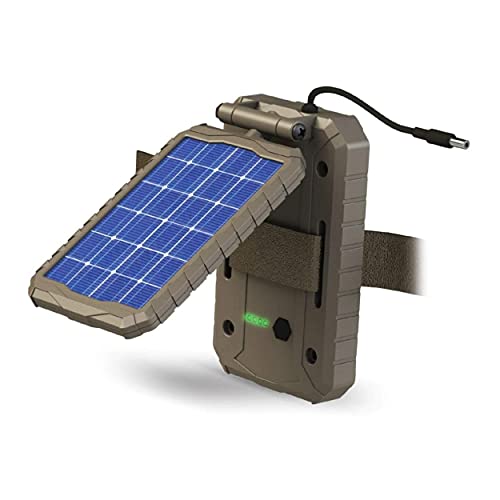
EXTENDED CAMERA FIELD LIFE: Embrace renewable energy, eliminating the need for traditional batteries and ensuring a cost-effective approach to keeping your trail cameras charged; A 3000mAh Li-ion Battery extends the field life of your trail camera
How to Maximize Battery Life on the Reveal 3.0 for Your Setup
Proper battery maintenance is essential to maximize your Reveal 3.0’s runtime. Always use recommended battery types and avoid mixing different brands or chemistries, as inconsistencies can reduce overall battery health and performance. For extended longevity, opt for Energizer Ultimate Lithium cells, which can deliver over 4,000 photos compared to about 2,500 from standard alkaline batteries. For those seeking alternatives, reviewing the top-rated window cameras with night vision can help identify models with superior energy efficiency. Regularly monitor your power consumption by prioritizing photo captures over video clips, since videos drain batteries much faster—reducing operational months from nearly seven to just under two. For even better nighttime performance, consider cameras with superior IR night vision that maintain clarity without excessive power draw. In cold weather, lithium batteries outperform alkalines by maintaining higher voltages and peak performance, making them more reliable in tougher conditions. Limiting trigger frequency in high-traffic areas helps prevent rapid battery depletion, so space out captures when possible. If your setup remains in the field for long periods, consider connecting an external 12V power source to extend operational time without changing batteries. When budgeting for your setup, keep in mind that night vision scope prices can vary widely depending on features like sensor quality and battery efficiency. Always replace batteries before they reach deep depletion to avoid missing important captures due to insufficient power. Following these steps ensures your Reveal 3.0 remains active and reliable longer between maintenance.
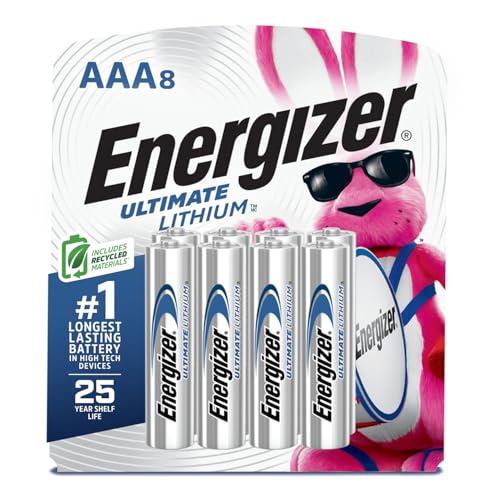
8 pack of Energizer Ultimate Lithium AAA Batteries

Energizer Double A Lithium batteries are the world's longest lasting AA batteries.

8 pack of Energizer Ultimate Lithium AA Batteries