Is There a Thermal Camera App for Your Smartphone?
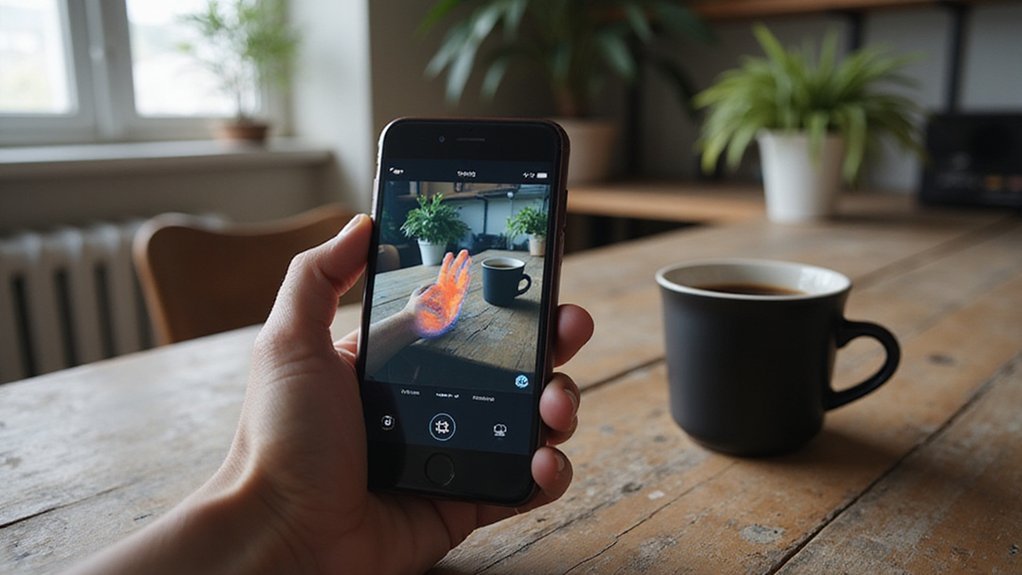
Wondering if you can turn your smartphone into a thermal camera? You might find apps that claim to do so, but without external hardware, they’re just color filters that mimic heat—for real heat detection, you need a specialized device.
These tools, like FLIR ONE or Seek Thermal, plug into your phone and provide genuine thermal imaging.
Keep reading to find out which options work best for you.
Why Most ‘Thermal Camera Apps’ Are Just Filters (Not Sensors)
Most “thermal camera apps” are just filters because your phone lacks the specialized hardware needed for true thermal imaging. Actual thermal cameras use infrared sensors that detect heat energy, converting it into an image. Your phone’s camera only captures visible light, so these apps can only apply color filters based on brightness levels, faking the look of thermal images. Unlike thermal sensors, these apps cannot detect heat signatures. Understanding how infrared sensors detect heat energy clarifies why your phone’s components are insufficient for this task.
You’ll see disclaimers like “simulation” or “for entertainment only” in app descriptions, which reveal these apps cannot measure temperature. Genuine thermal imaging requires optical filters and a dedicated infrared detector—components your phone does not have. Without these, the apps can only create the appearance of thermal vision, not the real thing.
Whenever you encounter a thermal vision app claiming to give you true thermal data, remember it’s just a digital filter. It’s dressing up your regular camera feed in colors that mimic thermal images, but it cannot sense heat or produce meaningful temperature readings.

【Enhanced Thermal Clarity】Start with 128x128 thermal imaging and enhance to 240x240 resolution with TISR technology for greater details. The wide 40°x 30° field of view and a 25Hz refresh rate deliver accurate, smooth thermal images—ideal for detailed inspections in homes and on electrical systems and machinery

3.5'' 640×480 IPS: This thermal imager features a 2MP visible light camera and a 3.5" 640×480 IPS display for exceptional clarity. With upgraded X³ IR technology, it boosts thermal resolution from 256×192 to 512×384. This handheld thermal camera supports a smooth 25Hz refresh rate, and offers ultra-fine 40mK sensitivity—delivering faster, more detailed inspections.
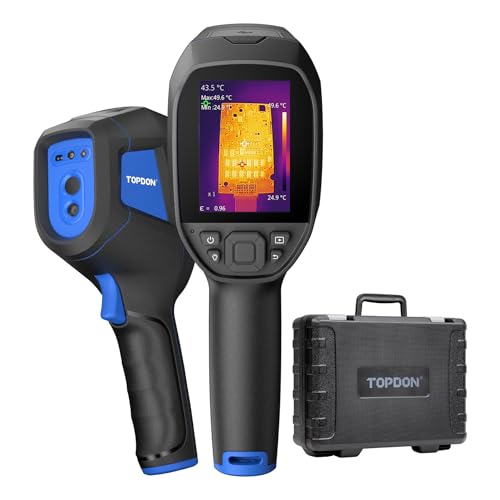
Laser Targeting for Measurable Precision: With an integrated laser distance measurement up to 4 meters, the TC005 provides precise targeting and measurable reference points. This built-in feature helps ensure consistent measurements without the need for external tools
Why Your Smartphone Can’t Run a Real Thermal Camera App
Your smartphone can’t run a real thermal camera app because it lacks the necessary hardware. Standard smartphone sensors, like CMOS or CCD sensors, are designed for visible light, not the long-wave infrared radiation emitted by heat sources. Without a dedicated thermal sensor, your phone cannot detect temperature differences directly. Additionally, the processor generates thermal noise, which further contaminates any attempt to measure heat accurately.
Even if you install a thermal camera app, it won’t provide genuine temperature data because it has no infrared information to work with. Instead, these apps only simulate thermal visuals by assigning colors based on image data from the camera, which does not reflect actual heat patterns. To obtain real thermal readings, you need either a smartphone with an integrated thermal camera or an external accessory that includes a true infrared sensor.
How to Spot a Fake Thermal Camera App in Three Red Flags
Fake thermal camera apps can often be identified by three clear red flags. First, check if the app claims to work without any hardware connection. Genuine thermal imaging apps require an external sensor that detects infrared heat; if an app insists it turns your phone into a thermal camera without an accessory, it’s likely just creating infrared illusions rather than measuring real temperatures. Unlike genuine thermal sensors, which are subject to legal restrictions in some regions, counterfeit apps have no hardware compliance concerns. However, genuine thermal sensors also rely on night vision camera technology to detect heat signatures, which is not something a smartphone camera can replicate. Second, examine the display style. Authentic apps display per-pixel temperature data, often with detailed readings in Celsius or Fahrenheit. If the app only shows bright colors or tints that highlight heat spots but omits temperature numbers, it’s probably a simulation. Third, read user reviews carefully for mentions of missing measurement features. Fake apps often only tint photos or behave like static filters and will lack real measurement tools such as spot temperature readings or emissivity adjustments. Recognizing these red flags helps you avoid wasting time on untrustworthy simulations. Unlike building a thermal drone, which requires integrating a real infrared sensor module into a custom aerial platform, a smartphone app alone cannot function as a thermal imager without dedicated external hardware.

NOTE: Thermal cameras detect heat from surfaces — not through walls. Temperature differences reveal insulation gaps, moisture issues, and overheating components

Works with a Variety of Phones & Extension Cable: Designed for the USB-C generation, P1 thermal imaging camera works with Android phones, USB-C iPhones, Android tablets, and Windows devices. The extended Type-C plug (+2mm) fits nearly all phone cases without taking them off. A 19-inch extension cable helps inspect tight or hard-to-reach spaces
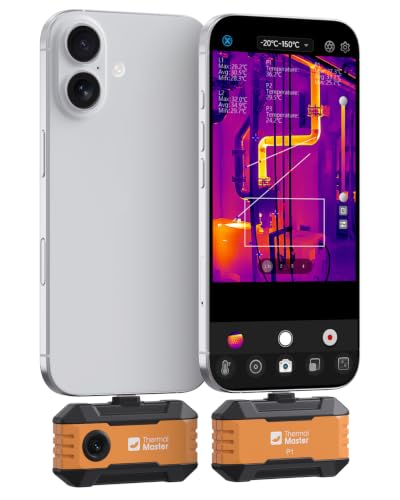
USB-C Phone Compatibility: Plug the P1 thermal camera into USB-C iPhone, Android, tablets, or Windows devices and use the Thermal Master app for quick field checks; Lightning iPhones require a Type-C to Lightning adapter sold separately.
The Only Way to Get a Genuine Thermal Camera App on Your Phone
Without the proper hardware, your phone cannot function as a genuine thermal camera. Standard smartphones lack the necessary thermal sensors or integrated infrared technology needed to detect heat. To achieve real thermal imaging, you must attach a dedicated thermal camera device, such as FLIR ONE or Seek Thermal, which connects via USB-C or Lightning port. These accessories contain the infrared sensors that enable true heat measurement.
Any app claiming to be a thermal camera without this hardware is just a simulation. They use color filters over your regular camera feed to mimic thermal imaging but do not measure actual temperatures. Genuine thermal camera apps clearly specify that the respective external accessory must be connected for real functionality. Investing in the right hardware is essential if you want authentic thermal images rather than just visual effects.

COMPATIBILITY: Infrared camera plugs directly into phone charging port and connects with iphones with USB-C (iphone 15 and newer)

Universal USB-C Thermal Camera for iOS Android and Windows: The AMPBANK M192 thermal imaging camera works with all USB-C smartphones tablets and USB-C smart devices running iOS Android or Windows. No adapter or battery needed simply plug into the USB-C port,download the ThermCam app,and start thermal imaging instantly. Stable OTG ensures reliable connection during home inspection electrical diagnostics and automotive repair. Note: not compatible with Mac temporarily

COMPATIBILITY: Infrared camera plugs directly into phone charging port and connects with iphones with USB-C (iphone 15 and newer)
What Real Thermal Apps Can Do Once You Have the Right Hardware
Once you pair a genuine thermal camera accessory with your phone, you unlock full thermal imaging capabilities. You can stream live footage directly to your screen, allowing you to quickly spot overheating components or heat leaks. Precise temperature measurements become possible, with tools that let you take spot readings or automatically detect hotspots. Thermal image calibration ensures the data you see is accurate, giving you confidence in your diagnosis. Understanding this calibration is key to evaluating camera accuracy and reliability when choosing a device. Below the surface, the underlying thermal scope technology converts infrared radiation into a visible image, making it ideal for detecting temperature differences invisible to the naked eye.
Heat signature analysis enables you to identify potential failures before you disassemble anything, whether you’re inspecting electrical connections or building insulation. You can capture photos and videos for documentation purposes, then easily share detailed reports via email straight from the field. Many apps also let you customize palettes and contrast settings to enhance visibility in low-light conditions, smoky environments, or darkness. With real-time thermal imaging on your phone, you’re not just guessing — you’re diagnosing with reliable data. Understanding the different night vision types helps clarify why thermal cameras excel in total darkness where traditional image intensifiers fail.
FLIR or Seek: Which Thermal Camera Fits Your Phone?
For indoor troubleshooting, FLIR’s thermal camera offers a wider 55° field of view and can measure temperatures up to 752°F. While its resolution is lower at 160 × 120 pixels, its broader view helps you scan larger areas more quickly, making it a good choice for identifying issues across broad surfaces like walls or floors. This approach mirrors how trail cameras like Tactacam’s Reveal balance wider coverage with acceptable detail for monitoring large areas. Building a security box for your trail camera can protect it from theft and weather damage.
In contrast, Seek provides a sharper 320 × 240 image resolution and excels in detailed inspections, especially in cold environments down to -40°F. Its thermal sensitivity is superior, helping you detect subtle temperature differences that are critical when examining small components or leaks. Seek’s narrower 32° view concentrates on close-up targets, providing precise imaging for specific problem spots.
For outdoor use, Seek’s 32° narrow view focuses on small, distant targets, with a frame rate exceeding 15 Hz, capturing movement smoothly. This makes it ideal for tracking and analyzing small thermal anomalies in real-time. FLIR, on the other hand, covers a wider scene with its 55° view and can handle higher temperatures, making it suitable for inspecting larger outdoor areas like HVAC systems or building exteriors where broad coverage is needed.

1.Small size, low power consumption, 32*24 pixel infrared array,55°field of view
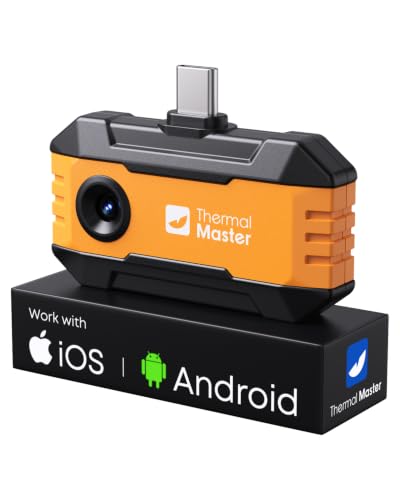
Works with a Variety of Phones & Extension Cable: Designed for the USB-C generation, P1 thermal imaging camera works with Android phones, USB-C iPhones, Android tablets, and Windows devices. The extended Type-C plug (+2mm) fits nearly all phone cases without taking them off. A 19-inch extension cable helps inspect tight or hard-to-reach spaces

DETECT DEER AT 769 YARDS: The T2 Pro thermal night vision captures subtle heat differences, making it effective both day and night. Equipped with a 13mm lens, it detects 7ft targets from over 769 yards away. For reference, it can spot whitetail deer at 700 yards, wild hogs at 600 yards, and coyotes at 300 yards. It’s also great for wildlife education, parent-child outdoor activities, and birdwatching up to 50 yards
Still Want a Thermal Camera App? Here’s the External Hardware to Buy
External hardware is essential to turn your smartphone into a thermal imaging device; a software alone cannot do it. You need a USB-C or Lightning module, such as FLIR or HIKMICRO, which physically attaches to your phone. These units power the infrared sensor and transmit thermal images to the manufacturer’s app. Regular app downloads from app stores will not give you thermal imaging capabilities without this hardware.
When selecting a thermal camera module, focus on battery efficiency, as these devices draw power from your phone and can significantly drain the battery during use. Also, check app compatibility beforehand because each brand often links its software to specific operating system versions and device ports. Mismatched hardware and software can render the setup useless. Look for models with removable batteries or lower power consumption to reduce strain on your device. Always verify your phone model against the official compatibility list to prevent any issues. Remember: the hardware determines the thermal resolution, temperature range, and color palettes, not the app. The inclusion of music and applause sounds in the promotional reviews for these modules reinforces the engaging, high-energy presentation style common in tech product showcases.


iOS and Android Compatibility: The P1 thermal imager supports all USB-C smartphones and computers, including iOS, Android, and Windows. For iPhones with a Lightning port, a Type-C to Lightning adapter is required (sold separately). App name: Thermal Master.

UNIVERSAL USB-C COMPATIBILITY: As an upgraded version of TC002C, the TOPDON TC002C Duo now works seamlessly with all USB-C smartphones and tablets (iOS, Android & Windows), ensuring compatibility with the latest Apple & Android devices. Note: Not compatible with Mac device or Android 16 device temporarily