Do Trail Cameras Need Wi-Fi or Cellular?
Wondering if your trail camera needs Wi-Fi or cellular to work effectively? Most models operate offline using motion sensors and store footage on an SD card, so Wi-Fi isn’t always necessary.
Cellular cameras can send images remotely but require a data plan and good signal. Your choice depends on your property’s layout and how much remote access you want.
Keep reading to find out which option suits your setup best.
Do Trail Cameras Actually Need Wi-Fi to Work?
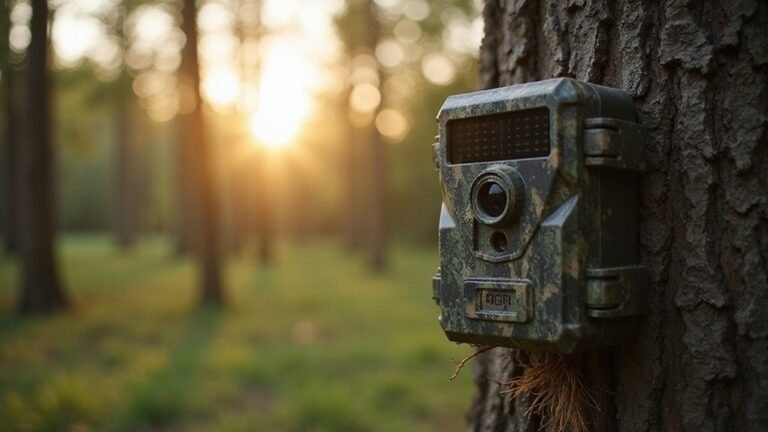
Most trail cameras do not require Wi-Fi to function. They are designed to operate independently by saving photos and videos directly to an SD card. This allows you to place the camera in remote locations far from any internet source, and it will still capture everything you need. Using local storage helps conserve battery life since the camera doesn’t need to constantly search for a Wi-Fi signal. It also enhances weather resistance because models without Wi-Fi often have fewer ports and seals that can fail. Keep in mind that Wi-Fi is an optional feature to improve access and data transfer, but the core function of capturing and storing footage relies on local storage. For those deciding between observation tools, night vision is better suited for active, close-range viewing than thermal for passive detection. To ensure reliable performance in the field, following a proper setup guide will help you position the camera correctly and manage its storage settings. For users wanting to view footage immediately in the field, a thermal clip-on can be attached to a scope for nighttime observation instead of relying on camera Wi-Fi.


[Tool for photographer]: It is a Photography Accessories for Canon Nikon SLR Digital Camera. No App to be downloaded. 5 seconds after inserting the memory card and connecting with the iPhone, click 'Photos' APP and find 'Import', then import video and photos from memory card to your iPhone or iPad.

AMPLE STORAGE CAPACITY - With the capacity to store up to 12 full-size SD cards and 12 microSD cards for your hunting cameras and other devices, this trail camera SD card case ensures ample room to organize & secure your valuable data collection
How Standard Trail Cameras Work Without Any Internet
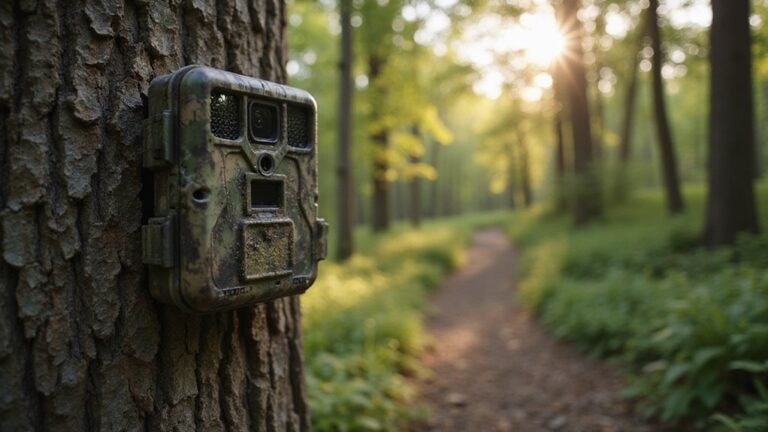
Standard trail cameras function perfectly without any internet connection by relying solely on motion-triggered capture. A passive infrared sensor detects heat and movement, prompting the camera to instantly take a photo or start recording a video. This targeted approach conserves battery life because the camera only captures images when activity is detected, rather than recording continuously. All footage is stored directly on a local SD card, eliminating the need for cloud storage or network access. This is similar to how thermal imaging technology detects temperature differences rather than visible light. For added physical protection in the field, you can build a security box from durable materials to deter theft and vandalism.
Power comes from standard batteries, enabling placement in remote locations without access to electricity. The cameras are built with a waterproof design to withstand rain, dust, and other environmental elements, ensuring reliable operation in the field. To view your footage, you simply remove the SD card from the camera and load it onto your computer. This offline workflow is simple, dependable, and completely independent of any internet connection, making the camera a fully standalone device. For example, night vision bugs often appear as bright, blurry streaks in captured footage rather than actual physical objects.
What a Wi-Fi Trail Camera Really Means (and Its Limits)
A Wi-Fi trail camera provides a short-range wireless connection between the camera and your phone or tablet, not internet access. This link typically works within about 20 meters and allows you to review images and change settings without removing the memory card. However, it does not enable remote access from a distance, meaning you need to be physically near the camera to use this feature. Unlike a thermal scope, a trail camera relies on visible light sensors and standard motion triggers rather than detecting heat differences for its activations.
Using Wi-Fi reduces battery life since active wireless communication consumes more power. To conserve battery, it’s best to turn off the Wi-Fi feature when you’re leaving the area. Most weather-resistant models seal up well, but frequent visits in wet conditions can wear down exposed ports or create vulnerabilities. Users should understand that the heat signatures captured by a trail camera are not displayed in false color like thermal imaging, so Wi-Fi only transfers standard monochrome or color images. Ultimately, Wi-Fi trail cameras are handy for close-range monitoring but are limited by their short range and inability to connect from home or long distances. For comparison, the Tactacam Reveal 3.0 can run on 12 AA batteries, with their lifespan heavily affected by image transmission frequency and temperature.

VALUE WITHOUT COMPROMISE – The FLEX-M2 cellular trail camera proves you don’t have to pay top dollar to get top performance. It’s easy to use, customizable, reliable and comes with features that punch well above its price tag.
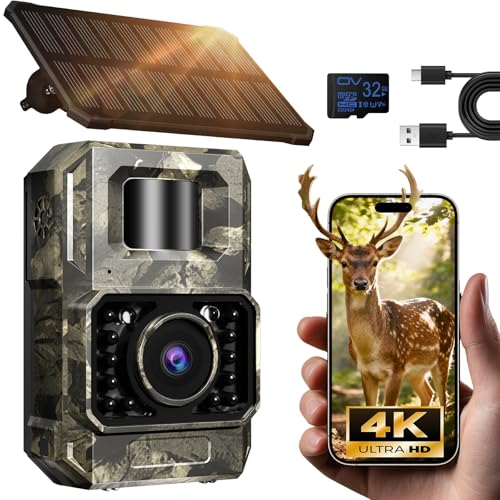
Ultra-Low Power WiFi and Bluetooth Connected Tech: This trail camera, featured WiFi and Bluetooth use ultra-low power design and quick & easy TrailCam GO App free control, ensures longer battery life and convenient to preview, download, and send pictures/videos to cellphone without removing the SD card of trail cam. All data process locally via WiFi6 without cloud dependency to protect your privacy. (connection range up to 55 ft, open area required).𝐈𝐌𝐏𝐎𝐑𝐓𝐀𝐍𝐓 𝐍𝐎𝐓𝐄: 𝐎𝐮𝐫 𝐭𝐫𝐚𝐢𝐥 𝐜𝐚𝐦𝐞𝐫𝐚 𝐜𝐚𝐧 𝐜𝐫𝐞𝐚𝐭𝐞 𝐢𝐭𝐬 𝐨𝐰𝐧 𝐖𝐢𝐅𝐢 𝐭𝐨 𝐜𝐨𝐧𝐧𝐞𝐜𝐭 𝐚𝐧𝐝 𝐧𝐨𝐭 𝐬𝐮𝐩𝐩𝐨𝐫𝐭 𝐲𝐨𝐮𝐫 𝐡𝐨𝐦𝐞 𝐖𝐢𝐅𝐢.

(Non-Cellular Non-WiFi)Long Lasting Power-𝐍𝐨𝐭𝐞: 𝐑𝐞𝐦𝐨𝐯𝐞 𝐛𝐚𝐭𝐭𝐞𝐫𝐲 𝐭𝐨 𝐜𝐡𝐚𝐫𝐠𝐞 𝐬𝐞𝐩𝐚𝐫𝐚𝐭𝐞𝐥𝐲. 𝐃𝐨 𝐧𝐨𝐭 𝐜𝐡𝐚𝐫𝐠𝐞 𝐯𝐢𝐚 𝐭𝐡𝐞 𝐜𝐚𝐦𝐞𝐫𝐚'𝐬 𝐓𝐲𝐩𝐞-𝐂 𝐩𝐨𝐫𝐭.𝐈𝐭'𝐬 𝐮𝐬𝐞𝐝 𝐟𝐨𝐫 𝐝𝐚𝐭𝐚 𝐭𝐫𝐚𝐧𝐬𝐟𝐞𝐫 𝐨𝐧𝐥𝐲 !Local Storage All footage is stored locally on an SD card. With no internet connectivity, your data remains fully private and protected from online security risks or unauthorized remote access.
When Cellular Trail Cameras Make Sense for Remote Spots
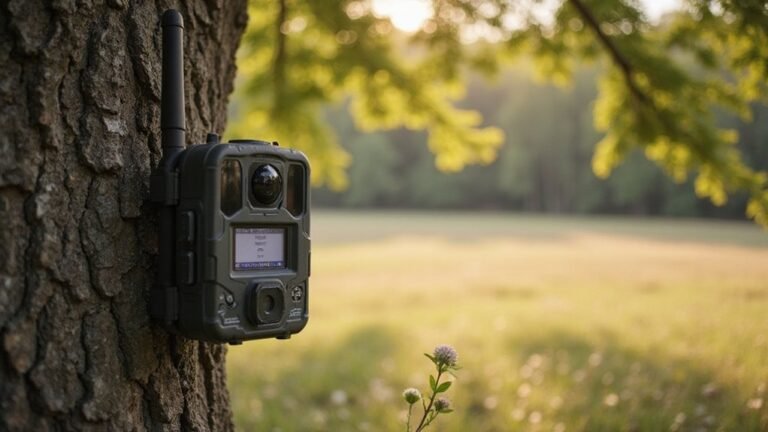
Cellular trail cameras make sense when you need remote, real-time surveillance without frequent visits. Their primary advantage is direct photo transmission to your phone, eliminating trips to check SD cards manually. This feature is especially valuable in inaccessible areas, saving time and reducing disturbance to wildlife or sensitive sites. You also get instant alerts about activity, making them effective for security, anti-poaching efforts, or monitoring nocturnal animals discreetly. Using cellular cameras helps preserve natural behavior by minimizing human scent and presence. For DIY enthusiasts, understanding light amplification basics can inform how you adjust camera settings for darker environments. Many of the top-rated models highlighted in the best trail cameras for home security comparisons also offer adjustable motion sensors and detection zones to further reduce false alerts. Knowing how cost-saving strategies apply to professional-grade optics can help you evaluate which features justify higher expenses.
Before choosing one, ensure your remote location has reliable network coverage, as weak signals can lead to missed uploads. Subscription costs typically range from $5 to $25 per month, so consider your budget and compatibility with your cellular provider. Power management is critical since remote sites lack grid access—solar panels or high-capacity batteries often work best. Additionally, select a model with durable construction to withstand weather conditions and physical impacts. When the cost of travel or delayed information exceeds the subscription price, cellular trail cameras become a practical and cost-effective solution.

【 4G LTE Connectivity – No WiFi Needed】This SEHMUA 4G cellular trail camera comes with a pre-installed SIM that works with Verizon, AT&T, and T-Mobile – strong, reliable signal in remote areas like mountains, woodlands, and open fields. No hubs, no routers, no WiFi – just power on and it connects. Wherever you have cell signal, you can view live footage and receive instant alerts. Includes a 7-day unlimited data trial; after that, each game camera requires its own plan ($19.90/mo or $169.90/yr)

No Forced Data Plan, No Locked SIM Card --- SIM card can be removed directly ,use as a regular trail camera even without any data plan.Unlike other 4G trail cameras that only work with their locked SIM and require monthly payment, ours stays fully functional without cellular service. You can also choose our included SIM with cheaper data plan (First Month $0.01 for 1000 Photos/Videos +10 HD Videos) or use your own SIM with no extra fees.
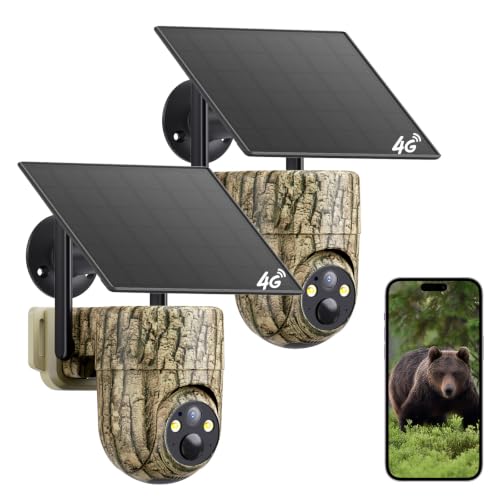
【4G LTE Cellular Connectivity, Works without WiFi 】The Oculview cellular trail camera comes with an embedded 4G LTE SIM that connects to major US network carriers (AT&T, T-Mobile, AT&T) upon power‑on for steady remote access. No separate SIM purchase or local WiFi connection is required. Flexible cellular service plans are available for ongoing use, including monthly ($19.9 per camera) and annual ($169.9 per camera) unlimited‑data options to match your monitoring needs.
Wi-Fi vs. Cellular Trail Cameras: Which Fits Your Property?
Wi-Fi trail cameras are ideal for properties close to your home or cabin, where the camera can stay within your router’s range. They deliver near-instant image transfer without monthly fees, as long as the camera remains within the local network. To ensure reliable connection, place the camera nearer to your Wi-Fi router and avoid obstructions that could weaken the signal. To keep the camera stable and aimed precisely, consider using a cantilever scope mount for secure attachment. Cellular trail cameras are better suited for remote areas like woods or fields where no Wi-Fi exists. They require a data plan and carrier setup to transmit images over cellular networks. Mount them high in open spots where cell coverage is strong, avoiding dense valleys or heavy foliage that can block signals. The choice depends on your property’s layout—Wi-Fi for close proximity to your home and cellular for coverage in distant, Wi-Fi-free locations. For low-light conditions, many models include infrared LEDs that provide clear black-and-white footage, similar to the green phosphor display used in military night vision goggles for better contrast and reduced eye strain.

Troubleshooting for App Issue: For iPhone users experiencing "Black Screen" or "FPS=0", enable "Local Network" access in Settings: go to Privacy and turn ON "RV Camera" access (critical); For connectivity issues: confirm Local Network permissions, disable VPN, and maintain a distance within 30ft

【Field Application】Adjustable length and adjustable lift. The stand can be steadily inserted into the ground and is made of thick Aluminum for superior stability and durability.

HIGH-QUALITY HOLDER - T-Post Trail Camera Holder is practical accessory designed for secure & convenient mounting of trail cameras on T-posts; The holder simplifies the process of positioning your trail camera, ensuring you capture the ideal shots/footage
The Real Cost of Cellular Trail Cameras: Data Plans and Hidden Fees
The main cost of cellular trail cameras comes from their data plans, not the initial purchase price. Many basic plans are free but limit you to around 100 photos per month, which quickly becomes insufficient on active trails. Paid plans can range from $15 to $60 monthly for unlimited image uploads, but costs escalate when you add multiple cameras. For example, a plan costing $14.99 for one camera can double or triple in price when used for four cameras, reaching up to $80 per month. Comparing top picks on quality and value reveals that some providers bundle more data or offer better per-camera discounts, which can significantly reduce your total monthly outlay. Hidden fees can also increase your expenses. These include upfront annual billing, charges for HD photo downloads, or additional fees for extra data. Using constant transmission to send images not only increases your monthly bill but also drains your camera’s battery faster. Furthermore, some brands store your images on servers with unclear privacy policies, posing risks to your location data security. For hunters relying on consistent monitoring, rechargeable batteries are often a more cost-effective power solution than cellular models. Being aware of these costs and privacy issues can help you manage your budget and protect your information.

LIVE 2K VIDEO OVER 4G — NO WI-FI, NO HOTSPOT, NO LIMITS: Stream crisp 2K HD video straight to your phone via the 4G cellular network — perfect for deep-woods hunting leases, remote ranches, off-grid cabins, or job sites where Wi-Fi simply can't reach. Watch deer, wildlife, livestock, or trespassers in real time from miles away. Note: a low-cost cellular data subscription is required to activate the live-stream feature, similar to other connected trail cameras on the market.

Smart AI Recognition & 7-Day Activity Forecast (Core Upgrade) Powered by advanced AI algorithm, this cellular trail camera automatically identifies various wildlife species in captured footage. It supports 7-day weather and animal activity trend forecasting, paired with high-precision topographic maps, custom positioning markers and intuitive data dashboards. Help you accurately judge wildlife movement rules and efficiently arrange outdoor scouting, searching and observing plans. Note: Cloud storage service is required to activate the AI species detection function.

【Pinpoint Detail & Built for Observing Wildlife!】 Capture evidence-grade images, stunning 48MP HD resolution photos and 2k videos. Clearly view deer, wild boar, and other animals as they pass by, day or night. The trail cameras with night vision motion activated waterproof built to endure harsh outdoor conditions. And it's the ideal companion for wildlife observers, equipped with a 940nm no-glow infrared LED that does not disturb animals at night
Why You Still Need an SD Card Even on a Wireless Camera
Local storage also saves your battery life. When the camera records, it writes the full file onto the SD card first before transmitting a smaller preview. Without an SD card, a weak or unstable signal causes the camera to repeatedly try to send data, which quickly drains your battery. If your network drops unexpectedly, you lose the footage altogether—there’s no backup. An SD card provides a reliable fallback, ensuring your recordings are saved even during signal interruptions. It’s a practical feature that enhances overall operation, not just an optional extra. For instance, unlike internal memory that automatically overwrites oldest images, an SD card keeps every file intact until you manually clear it, giving you a permanent record during long scouting trips. This principle is similar to how thermal drone builds rely on local storage to prevent data loss during transmission gaps. Using a card reader to directly access footage from the camera also speeds up file transfers and simplifies reviewing clips on a computer. Stealth Cam’s quick connect feature allows you to pair the camera efficiently, but an SD card remains essential to capture and store high-resolution clips locally during setup.
Choose Your Trail Camera Based on Location, Not Hype
Your choice of location is crucial when positioning a trail camera. Since these devices detect heat and motion, where you place them greatly impacts performance. Proper placement involves aiming the camera where animals naturally cross, rather than focusing on bait stations or trails that don’t see regular traffic. Keep the horizon near the vertical center of the frame to maximize wide-angle coverage. Smart placement also helps conserve battery life, since the camera won’t waste power on false triggers caused by wind or shadows. For rugged or remote areas, opt for a simple, non-connected camera because durability is more vital than connectivity where signals are weak. Focus on pinch points, funnels, or food sources you’ve identified on foot to get the best results. Remember, whether your camera is cellular-enabled or basic, success depends more on your site selection than on the hype printed on the box.