Does the iPhone Have a Thermal Camera?
Wondering if your iPhone has a thermal camera? The short answer is no—your phone’s standard camera sensors can’t detect heat signatures, which require special infrared hardware.
However, you can add this capability with external thermal camera accessories that connect to your iPhone.
Here’s everything you need to know to get started.
No, Your iPhone Doesn’t Have a Built-In Thermal Camera
Your iPhone does not have a built-in thermal camera. It lacks the essential infrared sensors needed for thermal imaging. Standard iPhone cameras, which are CMOS sensors, only capture visible light and cannot detect heat signatures or infrared radiation. This hardware limitation means that no software or app can add thermal imaging capabilities to your device. Genuine thermal cameras rely on microbolometers—specialized hardware that measures infrared radiation—and since iPhones do not include this component, true thermal imaging is impossible. For example, professional thermal imaging accessories for iPhones, like the FLIR One, use their own thermal imaging hardware to provide this functionality. Even the latest models lack this technology, making thermal measurement a hardware-dependent feature you cannot upgrade or mimic with software alone. Deciding between night vision and thermal technologies depends on the specific application and required capabilities.
How Do You Add Thermal Imaging to an iPhone?
To add thermal imaging to your iPhone, you’ll need an external thermal camera accessory compatible with your device. First, choose a model that fits your iPhone’s port, whether Lightning or USB-C, and make sure it’s designed for your specific iPhone model. When selecting an accessory, it is wise to consider factors like detection range and resolution, similar to choosing a dedicated thermal camera for hunting. Connect the accessory securely, using an adapter if necessary, to ensure proper data transfer. The core technology behind these accessories often involves infrared light detection to create a visible image from heat signatures.
Next, download and install the manufacturer’s thermal imaging app from the App Store. Once installed, open the app and grant it the necessary permissions through your iPhone’s Settings, such as camera and sensor access, to allow proper function. When you launch the app, it should detect your connected hardware automatically. Captured images can then be stored for equipment linking and shared directly for real-time team communication. You can then begin thermal imaging immediately, adjusting settings like color palettes and capturing images as needed. This combination of hardware and software extends your iPhone’s capabilities, letting you perform thermal imaging tasks that the device alone cannot achieve. For tasks requiring clear night sight, this external solution is essential.
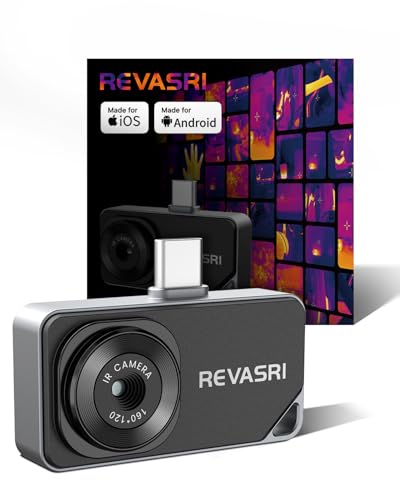
IOS & Android Compatibility: The REVASRI thermal camera is compatible with USB-C interface phones, tablets, and computers, and is suitable for IOS, Android, and Windows systems. Download the application by scanning the QR code in the user manual. Simply download the dedicated 'Camera +' APP application to achieve instant plug and play operation

【GW192A Turn Your Smartphone into a Thermal Camera】Android/iphone Camera Plug-and-Play APP - (THG Start), Easily convert your smartphone into a high-performance thermal imager with USB-C plug-and-play—no batteries, no pairing, just scan. This iOS Thermal Master tool brings professional-grade thermal imaging to your pocket. Compatible with iPhone 15/16/17 series phones.

𝐔𝐍𝐈𝐕𝐄𝐑𝐒𝐀𝐋 𝐂𝐎𝐌𝐏𝐀𝐓𝐈𝐁𝐈𝐋𝐈𝐓𝐘: The RISION Magic thermal imager offers USB-C port that works with iOS, Android & Windows devices. Note: Mac devices are not supported.
Top External Thermal Cameras for Your iPhone
Several high-quality external thermal cameras are compatible with your iPhone through USB-C or Lightning connections. The FLIR ONE Gen 3 is a professional-grade option with reliable thermal calibration, making it suitable for accurate temperature measurements. For the iPhone 15, the HIKMICRO Mini2Plus V2 is a versatile USB-C model praised for its diagnostic flexibility and wide accessory compatibility. The TOPDON TC002C series offers a compelling balance of resolution and affordability, providing high-quality thermal images without breaking the bank. When choosing any thermal camera, considering its quality and performance in low-light conditions is essential for optimal results. To maximize noise reduction, many advanced thermal cameras incorporate sophisticated image processing, ensuring clearer, more detailed thermal imagery in total darkness. For close-up electronics work, the Seek Thermal CompactPRO features adjustable focus, allowing detailed inspection of small components. The Thermal Master P3 features an 8mm macro lens for detecting minute issues like circuit board leaks. For serious DIY builders, selecting an external thermal camera is the first step in creating a custom thermal drone, enabling advanced aerial inspections. Lastly, Thermal Master models such as the P1 and P3 are designed to turn your iPhone into a portable inspection tool, seamlessly connecting to professional-grade sensors for detailed thermal analysis.

COMPATIBILITY: Infrared camera plugs directly into phone charging port and connects with iphones with USB-C (iphone 15 and newer)

UNIVERSAL USB-C COMPATIBILITY: As an upgraded version of TC002C, the TOPDON TC002C Duo now works seamlessly with all USB-C smartphones and tablets (iOS, Android & Windows), ensuring compatibility with the latest Apple & Android devices. Note: Not compatible with Mac device or Android 16 device temporarily

COMPATIBILITY: Infrared camera plugs directly into phone charging port and connects with iphones with USB-C (iphone 15 and newer)
How to Choose: Resolution, Temperature Range & Price
Choosing the right thermal camera depends largely on three key factors: resolution, temperature range, and price. First, ensure the camera’s sensor is compatible with your iPhone model, as this step is fundamental before considering any other features. This type of attachment operates on a cantilever principle, providing stable extension from the phone’s case. Getting the most from your device starts with understanding these core specifications.
For image resolution, a sensor with 80×60 pixels is adequate for basic personal inspections, such as spotting heat leaks or slight temperature differences. If you plan to scan electrical panels, a 160×120 sensor provides clearer images that help identify issues more precisely. For more detailed diagnostics, especially in electrical work or HVAC troubleshooting, a 256×192 resolution is recommended. Professional applications may require even higher resolutions like 384×288 for the best detail and accuracy.
Your required temperature range will influence the cost significantly. Most HVAC and electrical tasks are covered within a span from about -4°F to 1202°F, which is a common range in mid-tier models. Cameras with wider temperature ranges tend to be more expensive, but they provide greater versatility for different environments and more precise measurements. The underlying technology behind these measurements relies on detecting infrared radiation emitted by all objects.
Price tiers tend to mirror these specifications. Entry-level models, costing roughly $200–$400, generally have lower resolution but are suitable for casual use. Mid-tier options, around $300–$500, often balance resolution and sensitivity for more reliable results. High-end units, priced between $400 and $700, deliver superior resolution and greater temperature sensitivity, making them suitable for professional reporting and detailed diagnostics. For beginners, a complete beginner’s guide can help navigate these choices effectively.

Universal USB-C Thermal Camera for iOS Android and Windows: The AMPBANK M192 thermal imaging camera works with all USB-C smartphones tablets and USB-C smart devices running iOS Android or Windows. No adapter or battery needed simply plug into the USB-C port,download the ThermCam app,and start thermal imaging instantly. Stable OTG ensures reliable connection during home inspection electrical diagnostics and automotive repair. Note: not compatible with Mac temporarily

NOTE: Thermal cameras detect heat from surfaces — not through walls. Temperature differences reveal insulation gaps, moisture issues, and overheating components
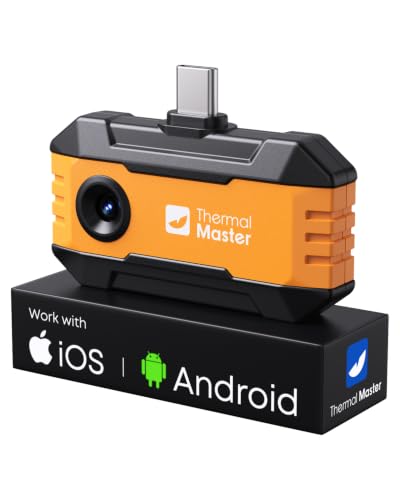
Works with a Variety of Phones & Extension Cable: Designed for the USB-C generation, P1 thermal imaging camera works with Android phones, USB-C iPhones, Android tablets, and Windows devices. The extended Type-C plug (+2mm) fits nearly all phone cases without taking them off. A 19-inch extension cable helps inspect tight or hard-to-reach spaces
USB-C or Lightning: Which iPhone Do You Have?
If you want to ensure compatibility with an iPhone thermal camera, the first step is to identify your phone’s charging port. iPhone 15 and newer models feature a USB-C port, which supports faster data transfer rates vital for processing thermal imaging data quickly. This newer connection also provides superior power delivery, helping to optimize your battery life during extensive use. Older iPhones, starting from the iPhone 5 up to the iPhone 14 series, use a Lightning connector. While Lightning-based accessories will still work, they operate at slower data transfer speeds, which could affect the performance of thermal imaging applications. The USB-C ecosystem is widely adopted across many device types, reducing cable clutter and simplifying accessory management for users with multiple gadgets. Many thermal cameras also support wireless connectivity options, such as Wi-Fi or Bluetooth, offering a cable-free approach that can transfer data and control the device without physical connectors. When selecting an accessory for low-light conditions, prioritizing models known for their clarity and depth of field will improve the usefulness of the captured data. Adjusting your camera’s work mode settings can significantly impact how and when data is captured and transmitted. For any external camera accessory, it’s crucial to maintain accurate device timestamps to ensure your thermal image data is properly logged and organized.

iOS and Android Compatibility: The P1 thermal imager supports all USB-C smartphones and computers, including iOS, Android, and Windows. For iPhones with a Lightning port, a Type-C to Lightning adapter is required (sold separately). App name: Thermal Master.
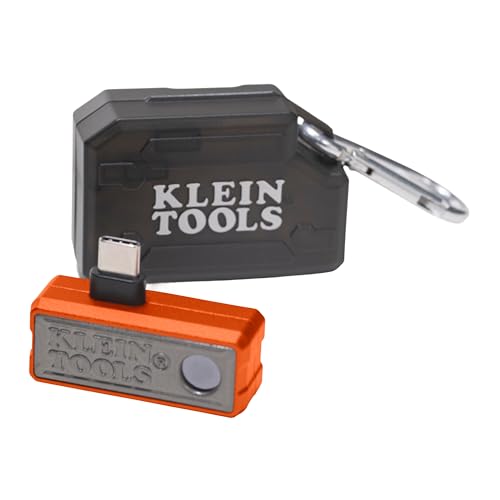
19,200-PIXEL RESOLUTION: High-quality thermal imaging camera delivers excellent resolution for troubleshooting hot and cold spots in electrical and HVAC applications

IOS & Android Compatibility: The REVASRI thermal camera is compatible with USB-C interface phones, tablets, and computers, and is suitable for IOS, Android, and Windows systems.Download the application by scanning the QR code in the user manual .Simply download the dedicated 'Camera +' APP application to achieve instant plug and play operation
What Can You Actually Do With an iPhone Thermal Camera?
Thermal cameras can reveal temperature differences that are invisible to the naked eye, making your iPhone a versatile diagnostic tool for various applications. For your home, thermal imaging helps identify heat loss through inadequately insulated walls or leaky windows, allowing you to target energy-saving improvements, ensuring reliability similar to that of trail camera batteries during long-term monitoring. You can even build your own device by following a DIY thermal camera guide with step-by-step instructions. It can also uncover hidden water leaks behind walls by detecting moisture’s impact on temperature, preventing costly damage. Additionally, thermal cameras detect electrical faults such as overheated breakers or wiring, which could pose fire hazards if left unaddressed. This functionality extends to true crime investigations, as thermal imaging can reveal fingerprints or body imprints by visualizing their heat signatures. These capabilities enable you to spot potential issues early, saving time and money, similar to using a cellular game camera for monitoring wildlife activity.
Beware of Thermal Camera Apps That Fake It
Apps claiming to turn your iPhone into a thermal camera are unreliable because your device lacks the essential infrared sensor needed for genuine thermal imaging. Instead, these apps use simple color filters over your regular camera feed, assigning false colors based on brightness levels that do not correspond to heat. This creates a visual simulation, not an actual thermal image. Clever branding strategies can make these apps appear legitimate by exploiting misconceptions about thermal sensors. Their marketing often targets your lack of awareness about smartphone hardware limitations, leading you to believe you’re viewing real thermal data. These fake apps are deceptive and can provide misleading information, which may cause you to draw dangerous or inaccurate conclusions. Remember, authentic thermal imaging requires specialized external equipment; your iPhone alone cannot detect heat or produce true thermal images. For professional-grade results, you would need to invest in dedicated professional thermal cameras designed for accurate temperature measurement and detailed imaging. This hardware limitation is similar to cameras that offer a basic night vision mode using existing sensors and software instead of dedicated infrared hardware, just as you need a dedicated green hunting light to properly see in the dark without alerting game.
Spotting Electrical Issues and Home Heat Loss
Pairing a genuine external thermal camera with your iPhone allows you to effectively detect both electrical issues and home heat loss. You can scan outlets and circuit breakers; when a plug exceeds the normal temperature by 20°C, it signals a resistance problem that could compromise electrical safety. For home insulation, thermal signatures reveal gaps where heat escapes, helping you identify areas of poor insulation. You can also detect inefficiencies in radiant floor heating or locate cold spots in pipes indicating potential clogs. Spotting a circuit breaker with a 30°C elevation warns of an impending failure, while identifying a short circuit’s 40°C heat pattern can prevent significant damage before it happens. Choosing a thermal monocular can be a cost-effective way to gain these diagnostic capabilities without the complexity of a binocular system. The device is also valuable for vehicle electrical diagnostics, helping identify battery drain issues from faulty modules in hard-to-reach spaces.

❄️ Superior Heat Dissipation Efficiency – Crafted from pure copper, this cooling plate delivers a 500% increase in heat dissipation compared to aluminum heat sinks. The graphene thermal conductive coating further boosts cooling capacity by 20x.

SEE MORE THERMAL DETAIL: A 96×96 IR sensor with patented TISR processing produces 384×384 thermal images. ≤40 mK thermal sensitivity and a 25 Hz refresh rate provide responsive detail for quick checks
Will Future iPhones Have Built-In Thermal Cameras?
Given Apple’s recent patent filings, future iPhones could indeed come with built-in thermal cameras. The company is showing a clear interest in integrating infrared sensors directly into the camera module. This isn’t about adding a separate thermal imaging mode; it’s about enhancing the standard camera system with thermal data. The technology aims to overlay thermal information onto augmented reality visuals or improve camera performance in challenging conditions like low light.
While patents do not guarantee a product will be released, they indicate a potential direction Apple might take. Currently, you still need external accessories for dedicated thermal imaging. However, upcoming models could seamlessly incorporate thermal sensing within the existing camera setup, providing thermal views inside your regular viewfinder. This could also open new possibilities for health monitoring applications, where thermal data adds a new layer of insight.